HARJOITUKSET
Listaa ensin kaikki taulussa olevat tuotteet
SELECT * FROM products; (Huom! tähti pyytää kaikki sarakkeet, ei kaikkia rivejä)
Listaa tuotteen nimi, kategoria ja hinta
SELECT productname, categoryid, unitprice FROM products;
Listaa tuotteiden pakkauskoot
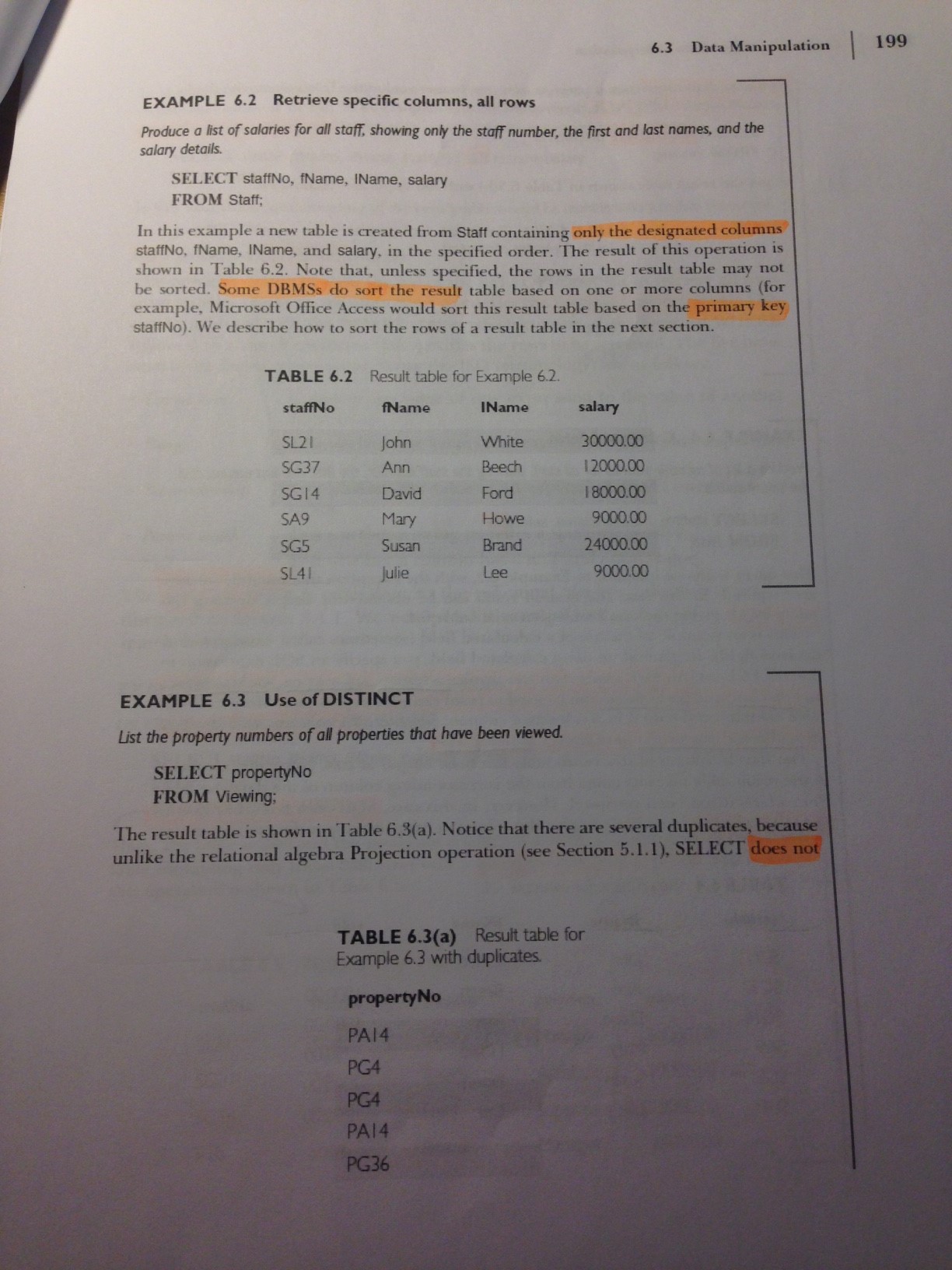
SELECT DISTINCT quantityperunit FROM products; (jos ei kirjoita DISTINCTiä, listataan oletusarvoisesti (ALL) kaikki yksiköt, vaikka niitä olisi useampia.
Laske jokaisen tuotteen arvo varastossa, eli yksikköhinta * yksikköjen määrä
SELECT productname,unitprice*unitsinstock FROM products;
Nimeä äsken laskettu sarake "varastonarvo"
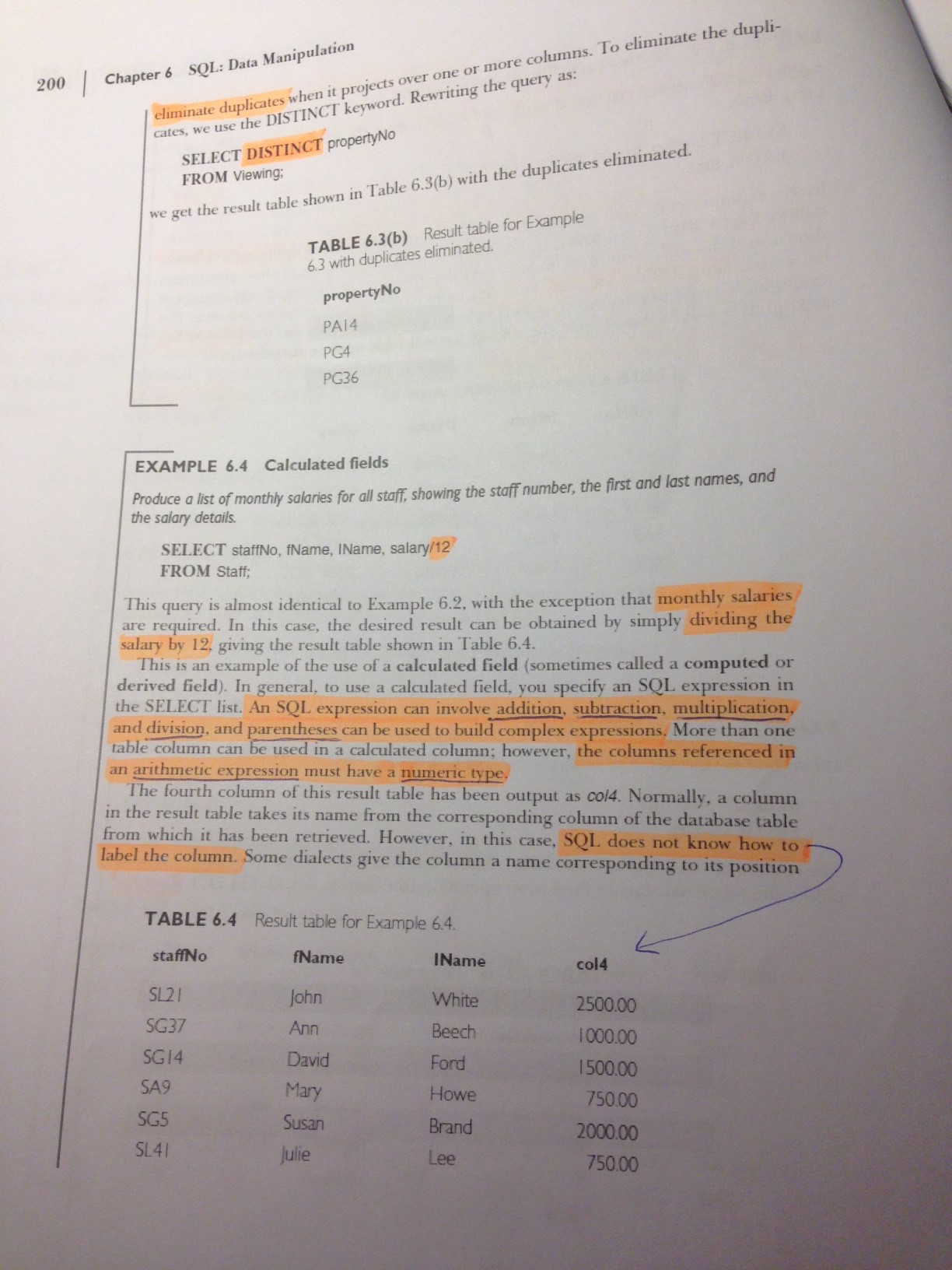
SELECT productname,unitprice*unitsinstock AS Stockvalue FROM products (AS:in avulla sarakkeelle voidaan antaa uusi nimi (alias))
Hae tuotteet, joita on varastossa yli 100 kappaletta
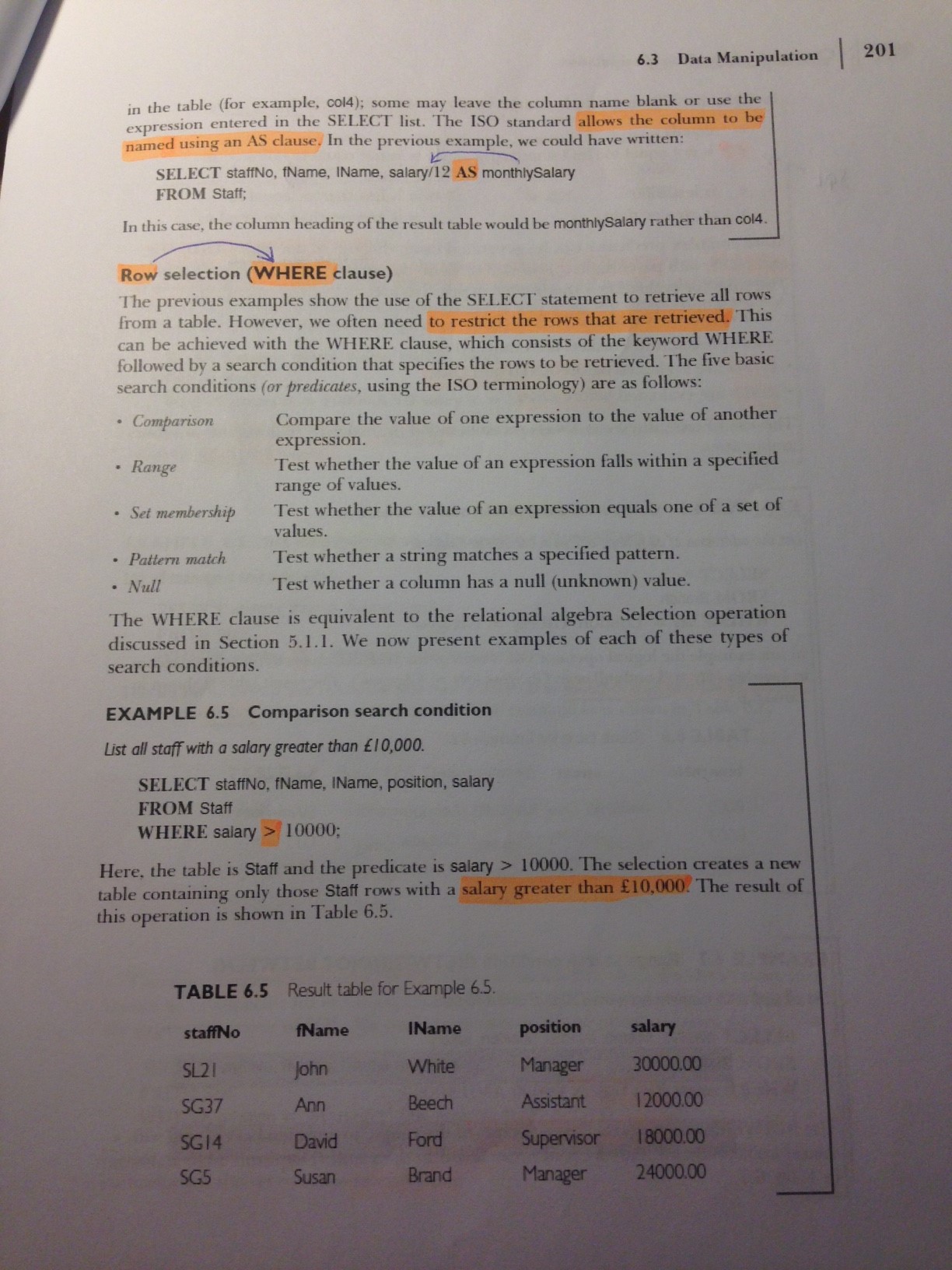
SELECT * FROM products WHERE unitsinstock > 100;
Hae tuotteet, joiden toimittaja on id 4 tai tuotekategoria on 1
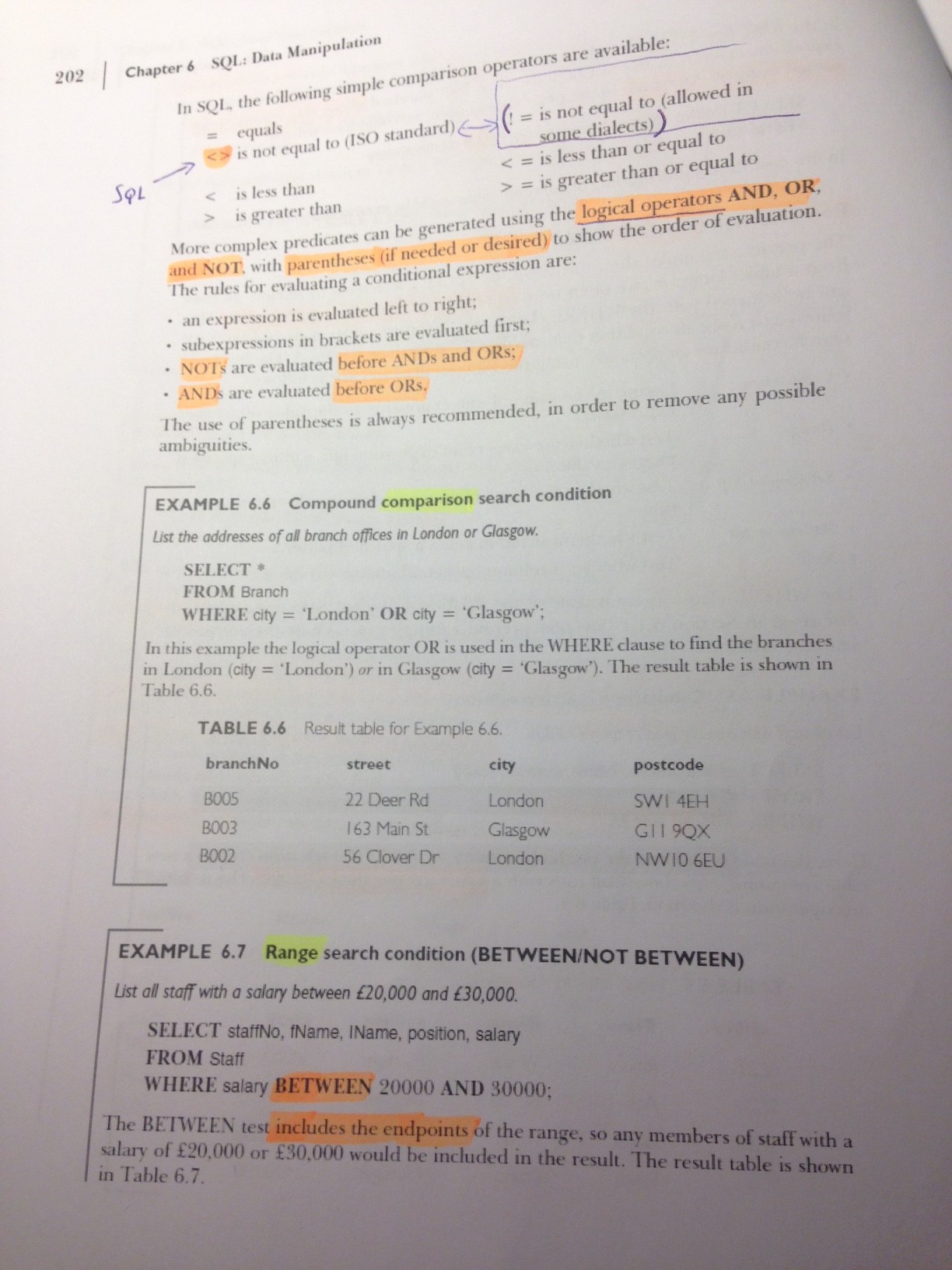
SELECT * FROM products WHERE supplierid = 4 OR categoryid = 1;
Hae tuotteet, joita on varastossa 10-50 kappaletta
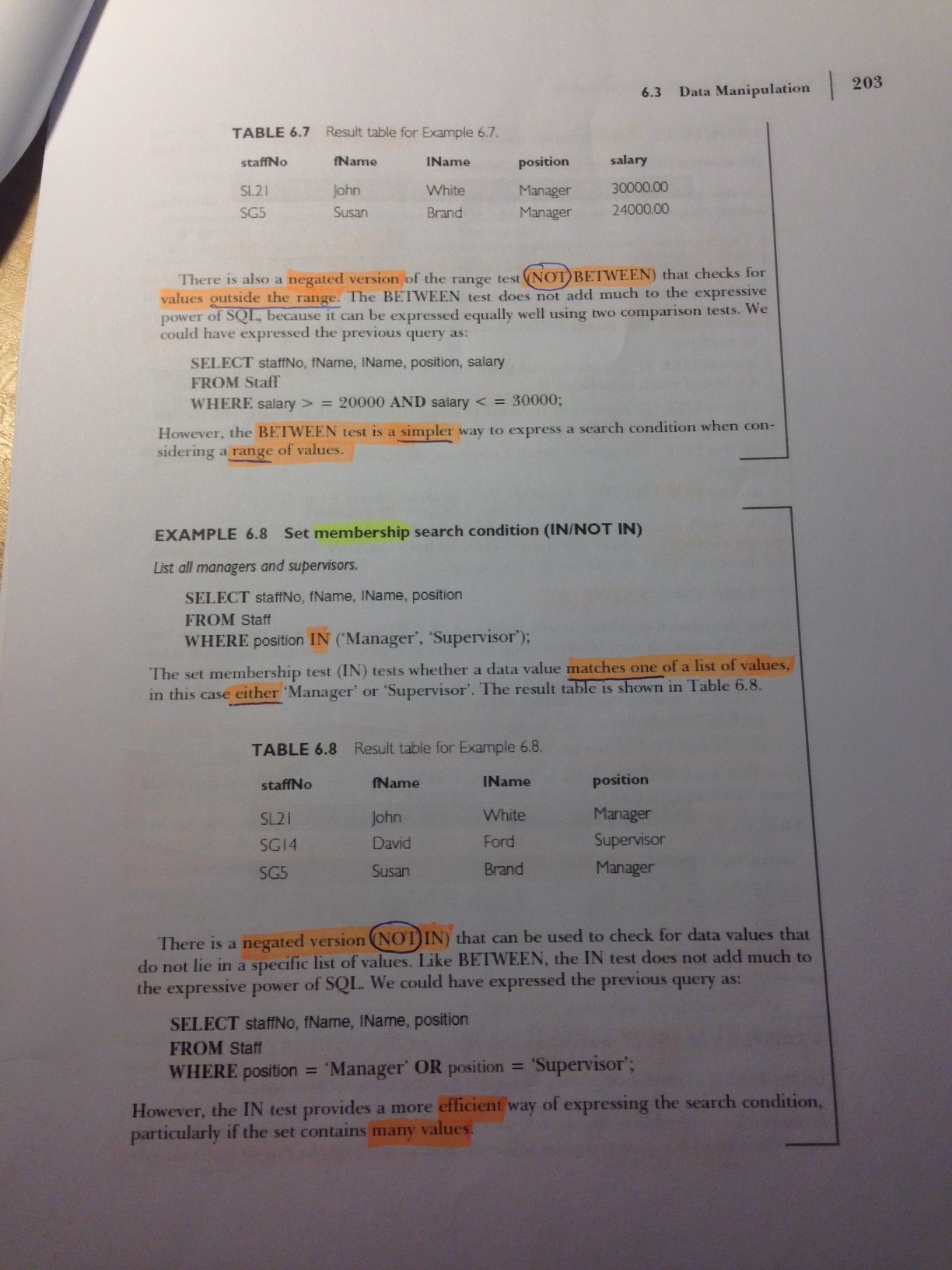
SELECT * FROM products WHERE unitsinstock BETWEEN 10 AND 50;
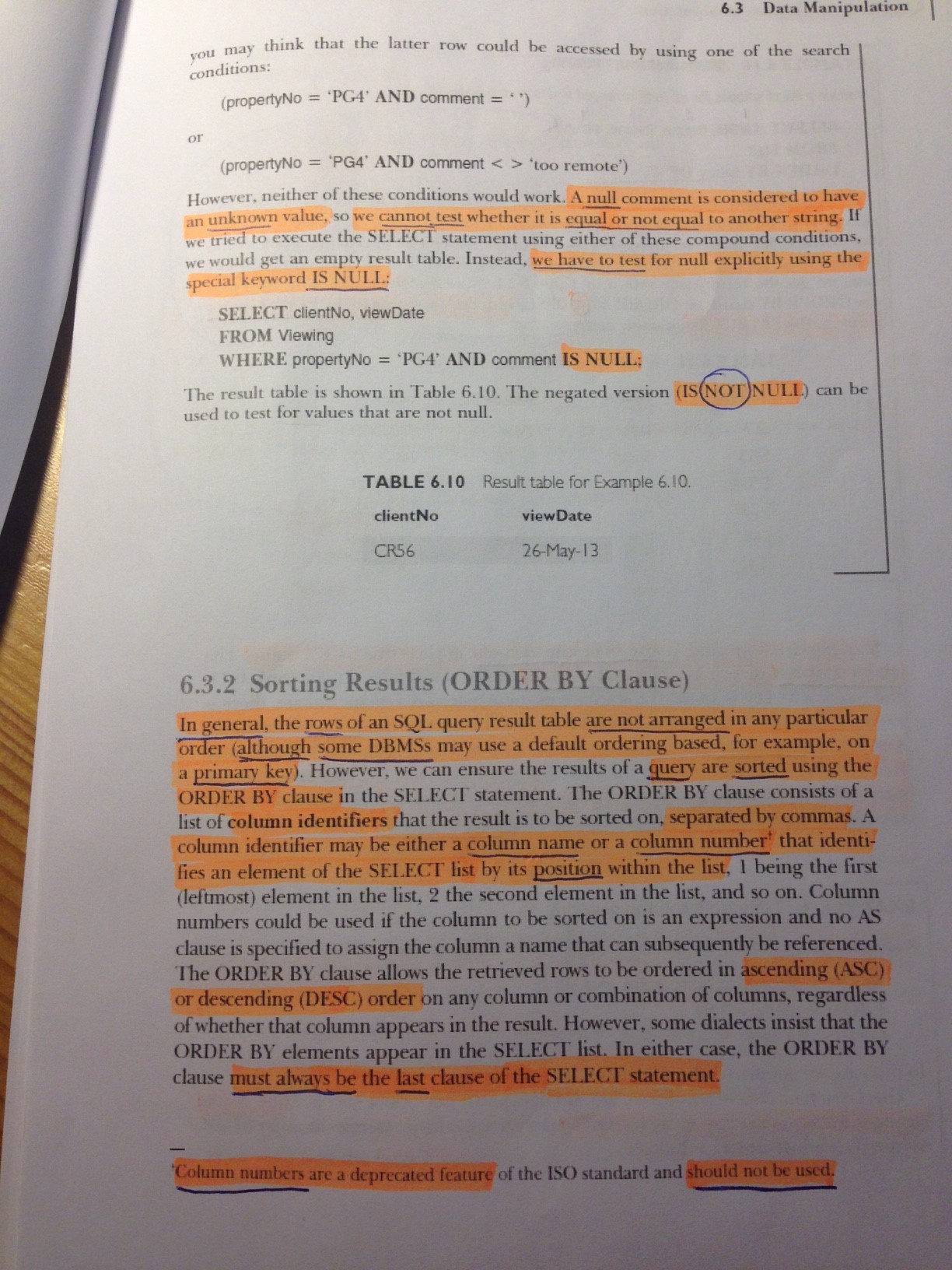
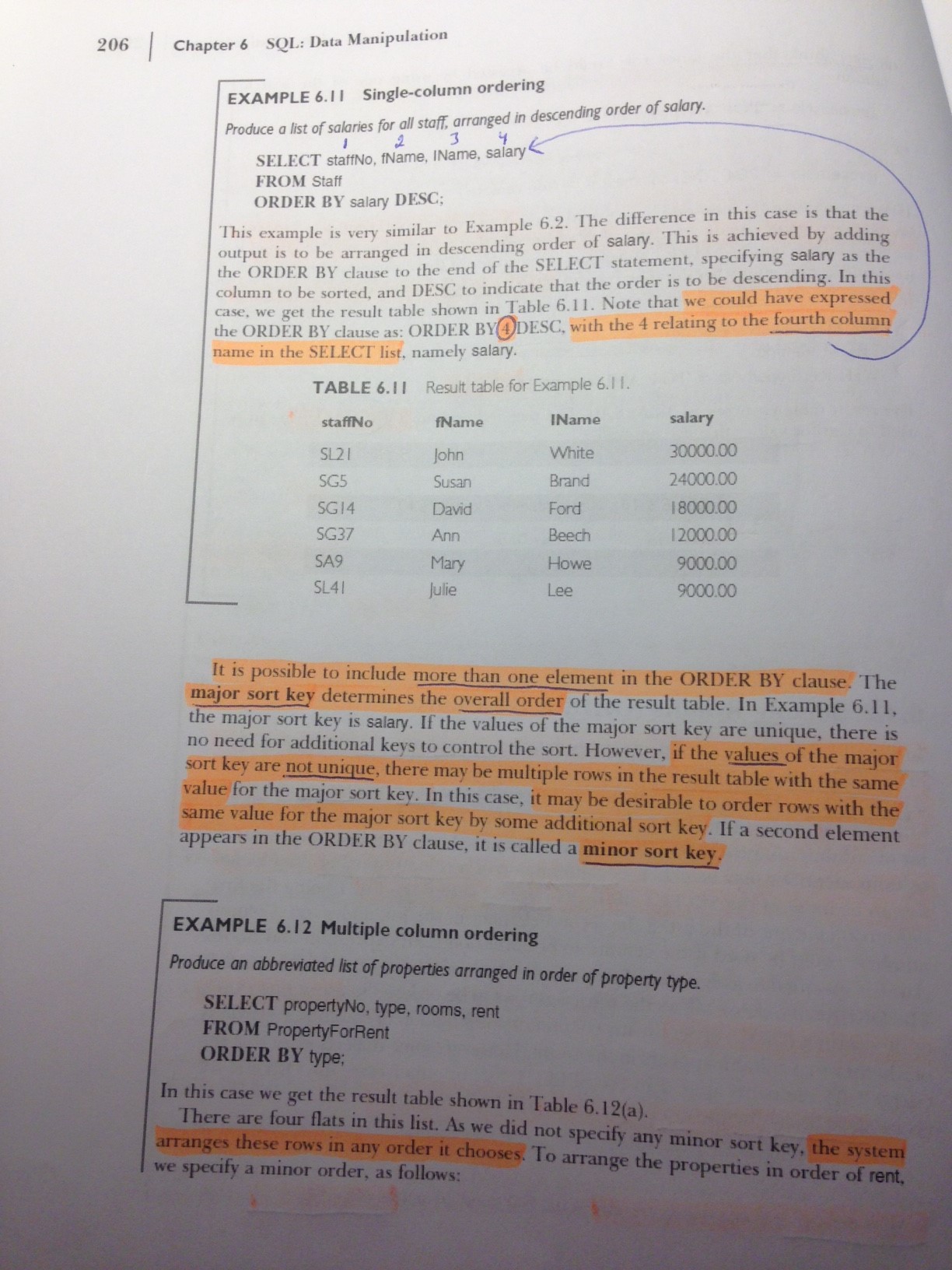
SELECT * FROM products WHERE unitsinstock BETWEEN 10 AND 50 ORDER BY unitsinstock DESC; (saadaan lajiteltua ASC/DESC)
Hae tuotteet, joita on varastossa alle 10 tai yli 50 kappaletta
SELECT * FROM products WHERE unitsinstock NOT BETWEEN 10 AND 50;
Hae tuotteet, joiden uudelleentilaustaso on 10,25 tai 30
SELECT * FROM products WHERE reorderlevel IN (10,25,30);
Hae tuotteet, jotka on pakattu pulloon
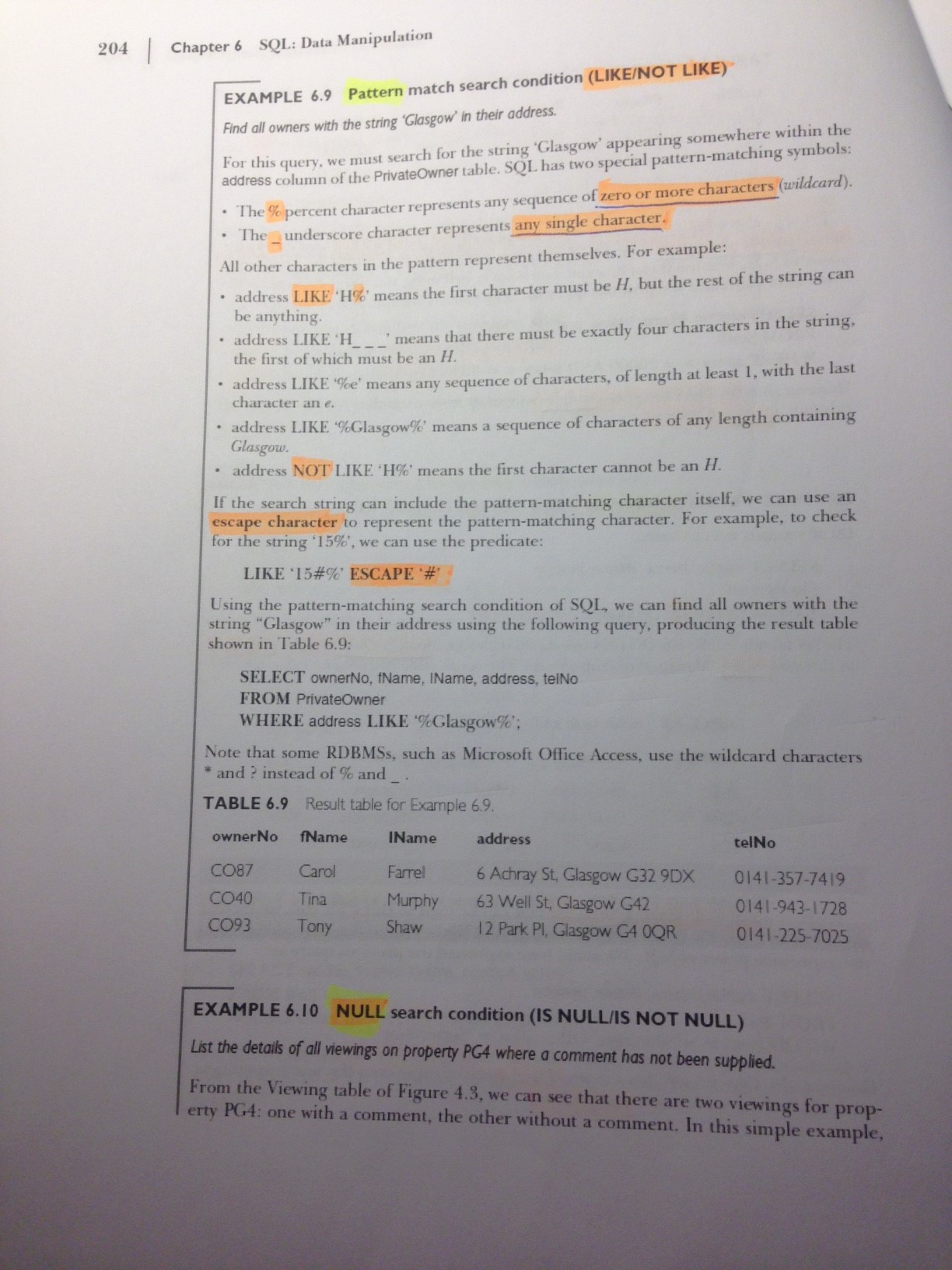
SELECT * FROM products WHERE quantityperunit LIKE '%bottles%';
%: useampi merkki
_: täsmälleen yksi merkki
Hae tuotteet, joiden toimittaja ei ole tiedossa
SELECT * from products WHERE supplierid IS NULL;
NULLin kanssa ei saa käyttää = -merkkiä vaan IS-sanaa
null: tyhjyys (ei ole olemassa). Kaksi nullia ei ole sama asia
Listaa tuotteet hintajärjestykseen
SELECT * from products ORDER BY unitprice DESC;
Listaa hintajärjestykseen tuotteen nimi, varastosaldo ja hinta
SELECT productname,unitsinstock,unitprice FROM products ORDER BY unitprice DESC, unitsinstock (järjestetään ensin unitpricen mukaan, ja jos jollain tuotteilla unitprice on sama, järjestetään ne vielä unitsinstockin mukaan
Kuinka monta yli 100 euron hintaista tuotetta valikoimassa on?
SELECT COUNT(*) FROM products WHERE unitprice > 100;
(SELECT * FROM products WHERE unitprice > 100;) --> Näyttää rivit, ei laske määrää
Montako tuotekategoriaa on?
SELECT COUNT(DISTINCT categoryid) FROM products;
Kaikki yksittäiset tuotteeet:
SELECT COUNT(categoryid) FROM products;
Montako tölkkipakkausta varastossa on?
SELECT SUM(unitsinstock) FROM products WHERE quantityperunit LIKE '%can%';
Tuotteet listattuna:
SELECT * FROM products WHERE quantityperunit LIKE '%can%';
Tuotteet listattuna (rajattu vielä määrän (12) mukaan:
SELECT * FROM products WHERE quantityperunit LIKE '%12%can%';
Hakuun otettu mukaan tölkit ja pullot:
SELECT SUM(unitsinstock) FROM products WHERE quantityperunit LIKE '%can%' OR quantityperunit LIKE '%bottles%';
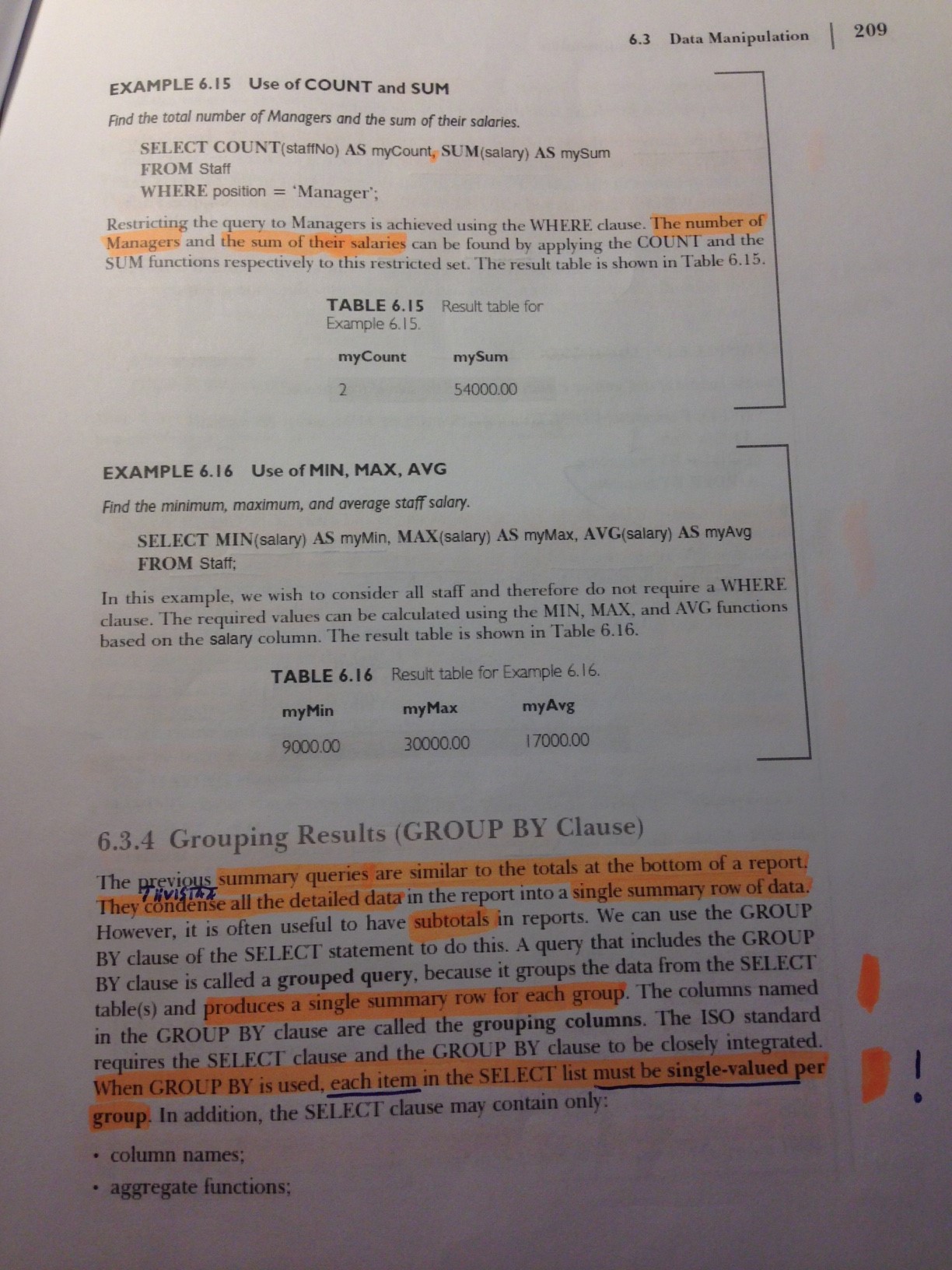
Mikä on halvin yksikköhinta? Entä kallein? Entä tuotteiden keskihinta?
SELECT MIN(unitprice), MAX(unitprice), AVG(unitprice) FROM products
Nimetään sarakkeet:
SELECT MIN(unitprice) AS halvin, MAX(unitprice) AS kallein, AVG(unitprice) AS keskiarvo FROM products
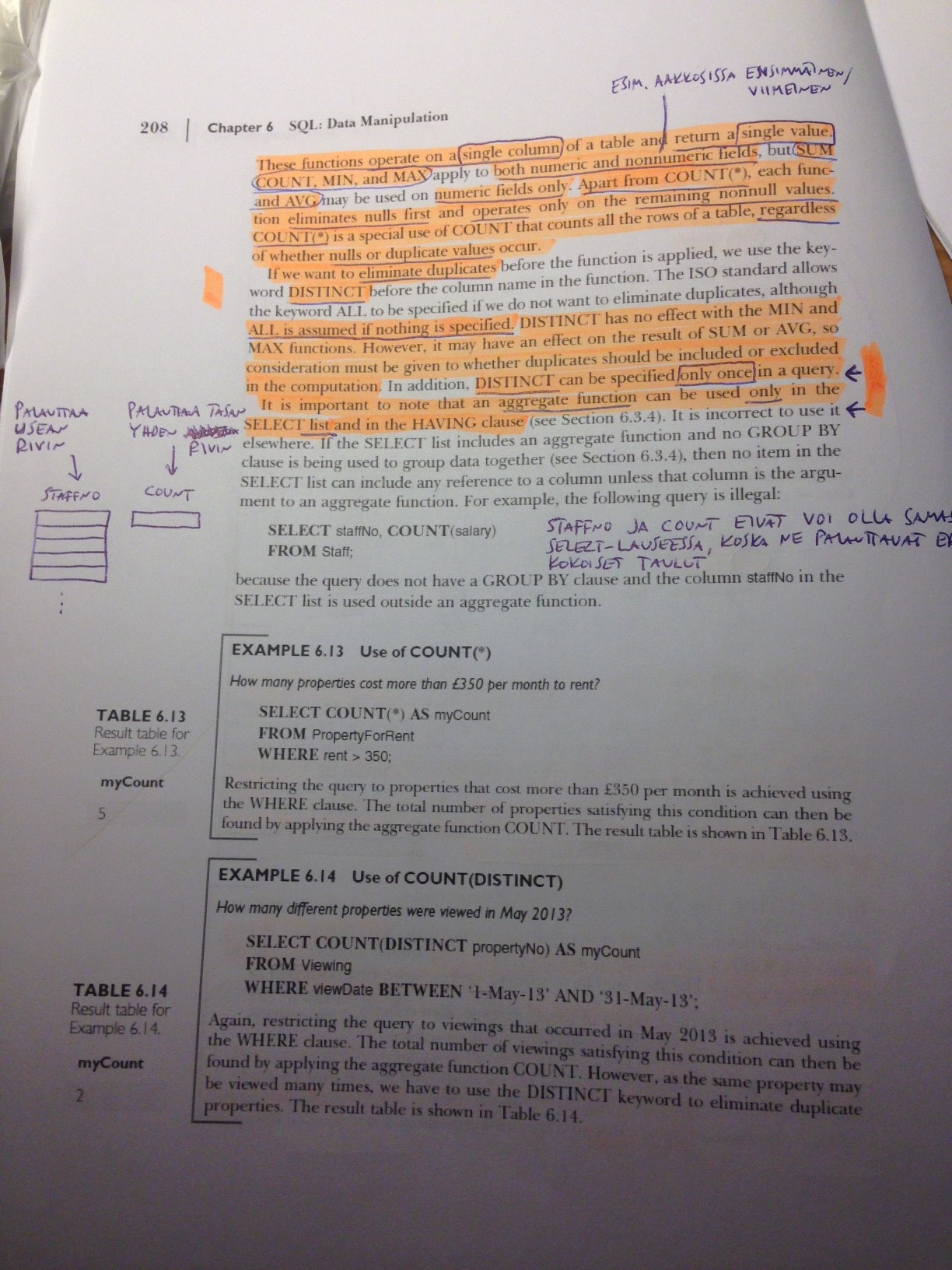
Tämä EI OLE sallittu, koska productname-sarake palauttaisi kaikki rivit, MIN/MAX/AVG vain yhden rivin:
SELECT productname, MIN(unitprice), MAX(unitprice), AVG(unitprice) FROM products
Listaa toimittajat toimittajakohtaisen varaston arvon mukaisessa järjestyksessä, arvo mukaanlukien
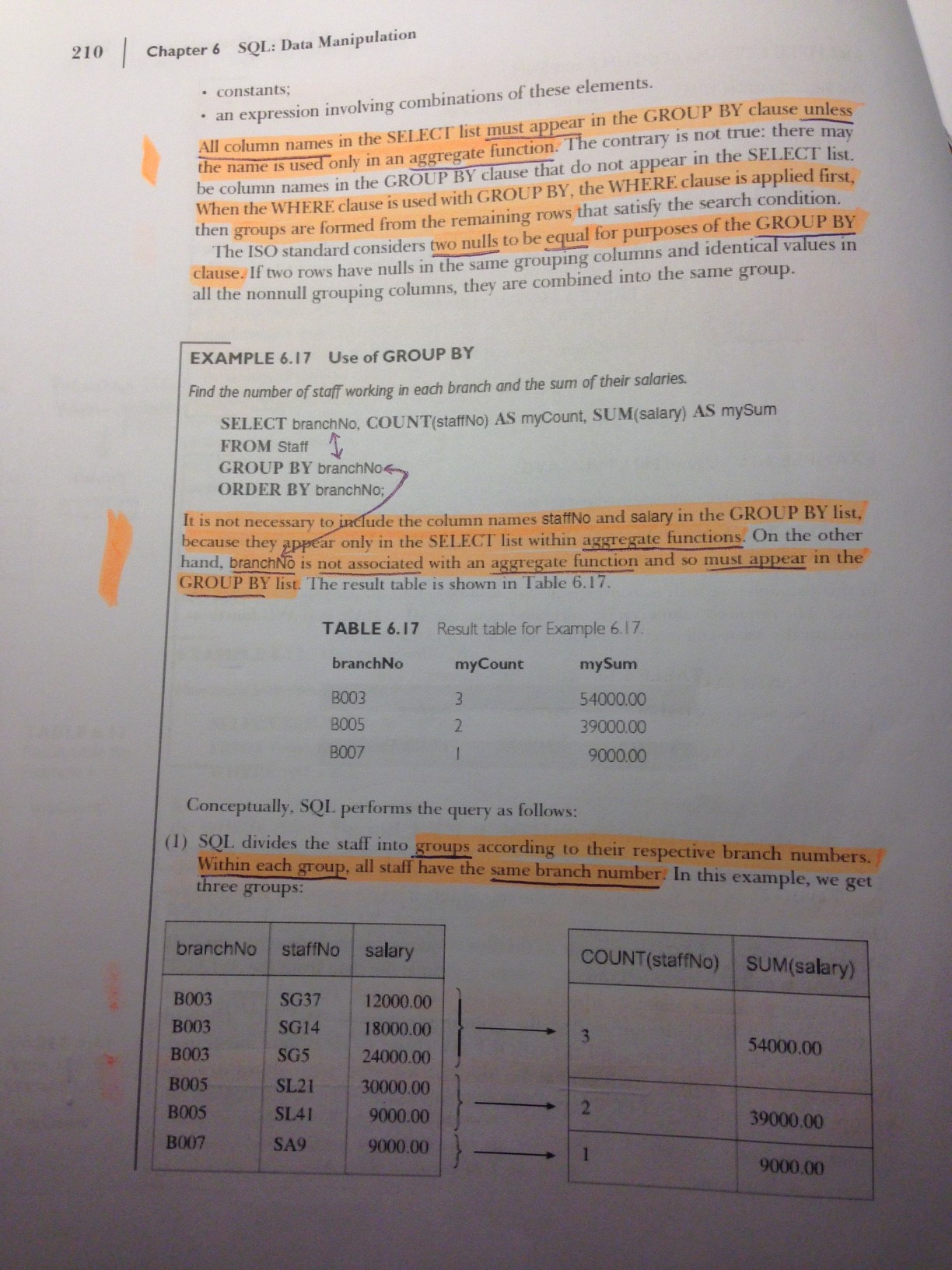
SELECT supplierid, SUM(unitprice*unitsinstock) AS StockValue FROM products GROUP BY supplierid;
Järjestetään vielä (huomaa, että on käytetty aliasta (StockValue))
SELECT supplierid, SUM(unitprice*unitsinstock) AS StockValue FROM products GROUP BY supplierid ORDER BY StockValue DESC;
Jos aliasta ei olisi käytetty, niin tämä olisi myös oikein:
SELECT supplierid, SUM(unitprice*unitsinstock) AS StockValue FROM products GROUP BY supplierid ORDER BY SUM(unitprice*unitsinstock) DESC;
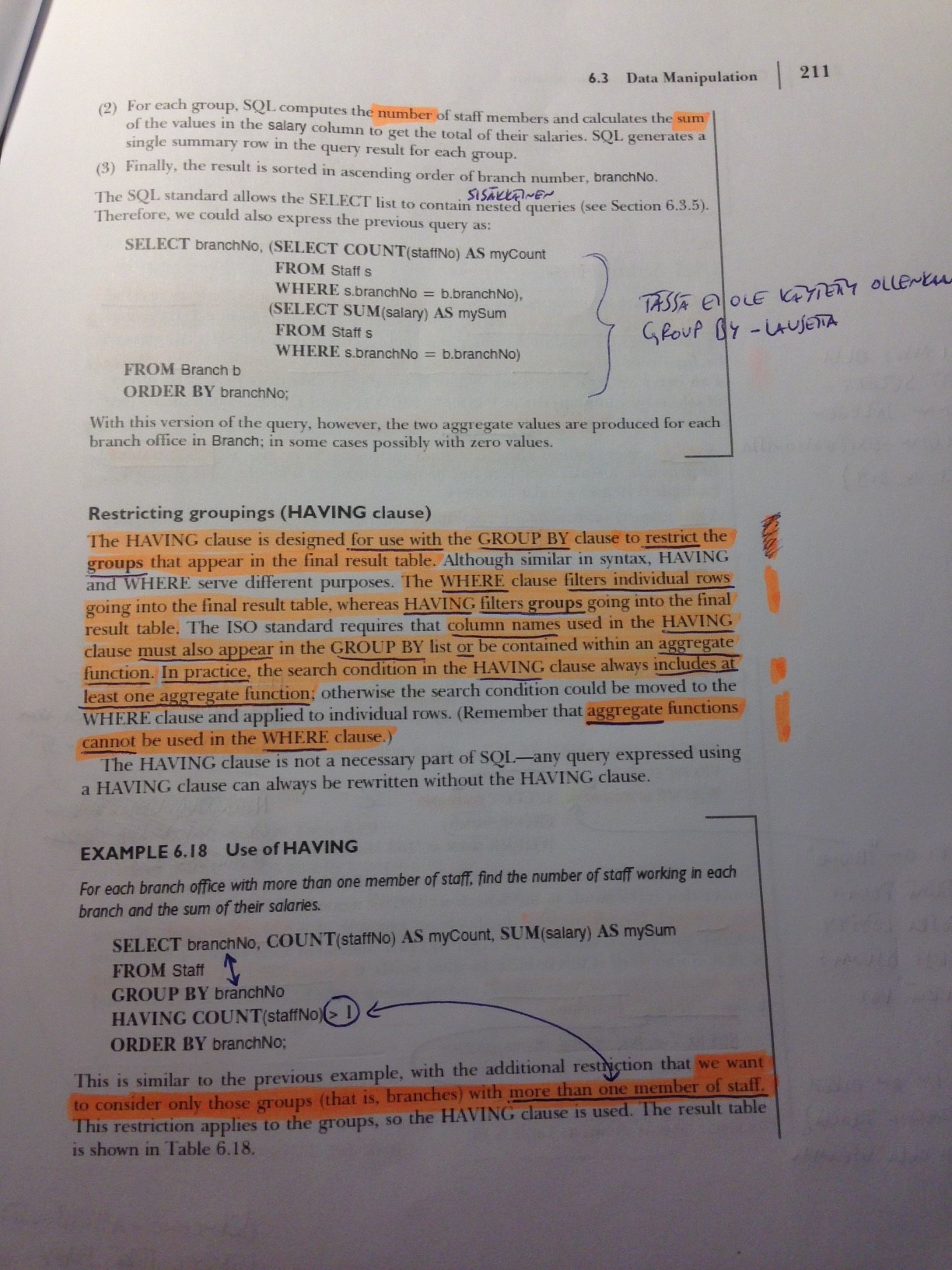
Hae äskeisestä listasta vain ne toimittajat, joilla on vähintään 3 [eri] tuotetta valikoimassa
SELECT supplierid, SUM(unitprice*unitsinstock) AS StockValue FROM products GROUP BY supplierid HAVING COUNT(productid) >=3 ORDER BY StockValue DESC;
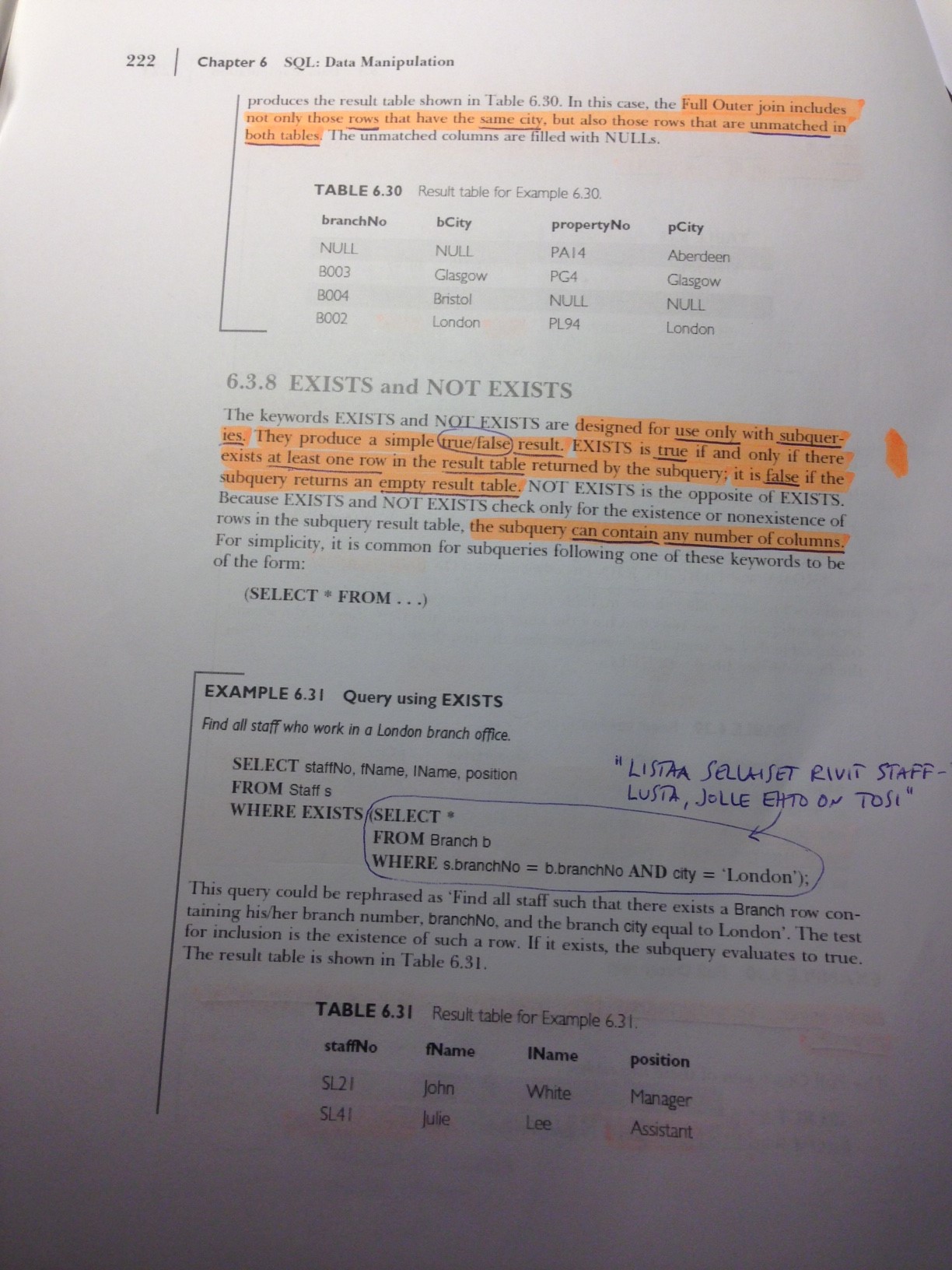
Hae ne tuotteet, joita on mahdollista tilata varastoon lisää faxilla
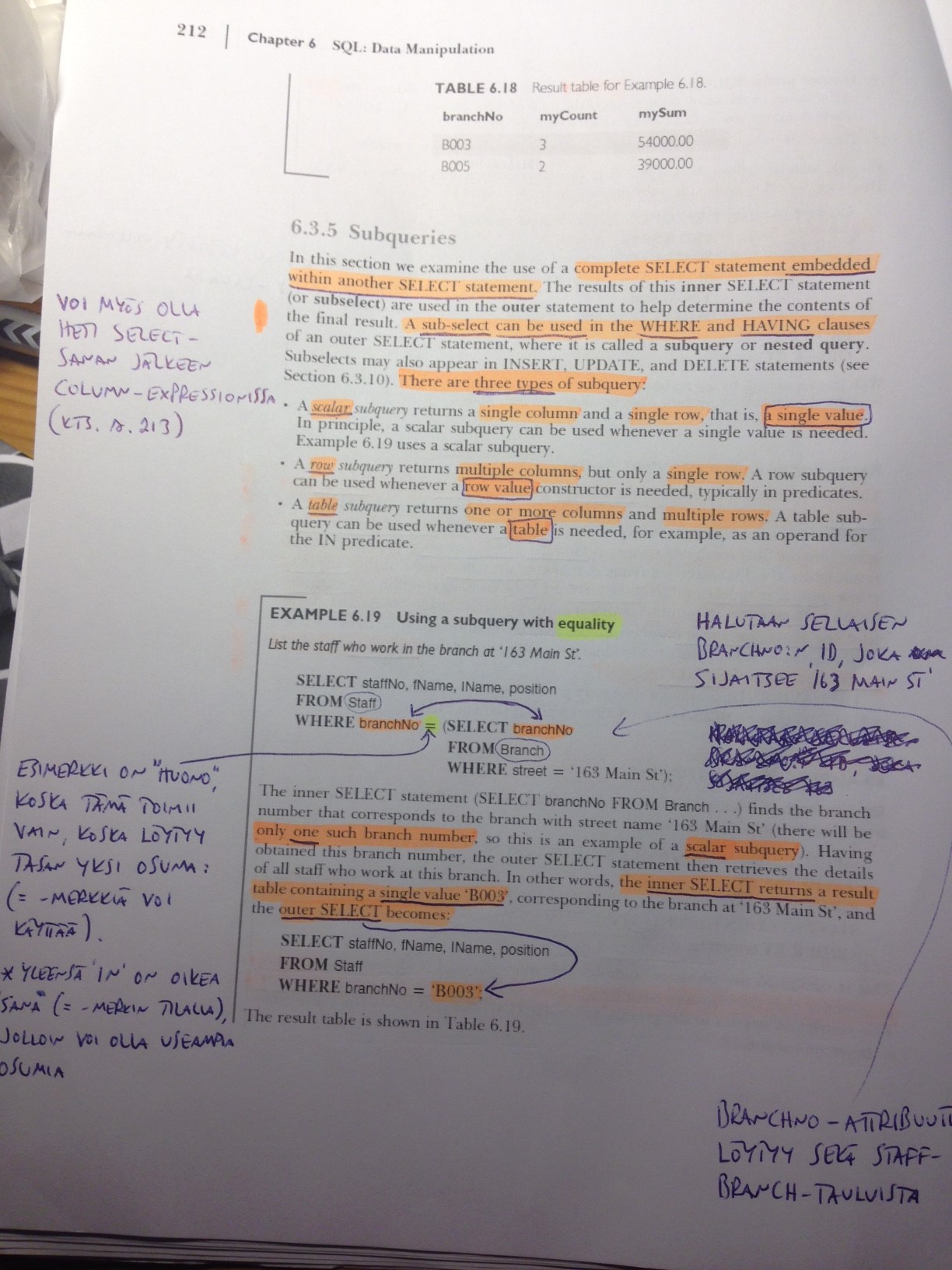
SELECT * FROM products WHERE supplierid IN (SELECT supplierid FROM suppliers WHERE fax IS NOT NULL);
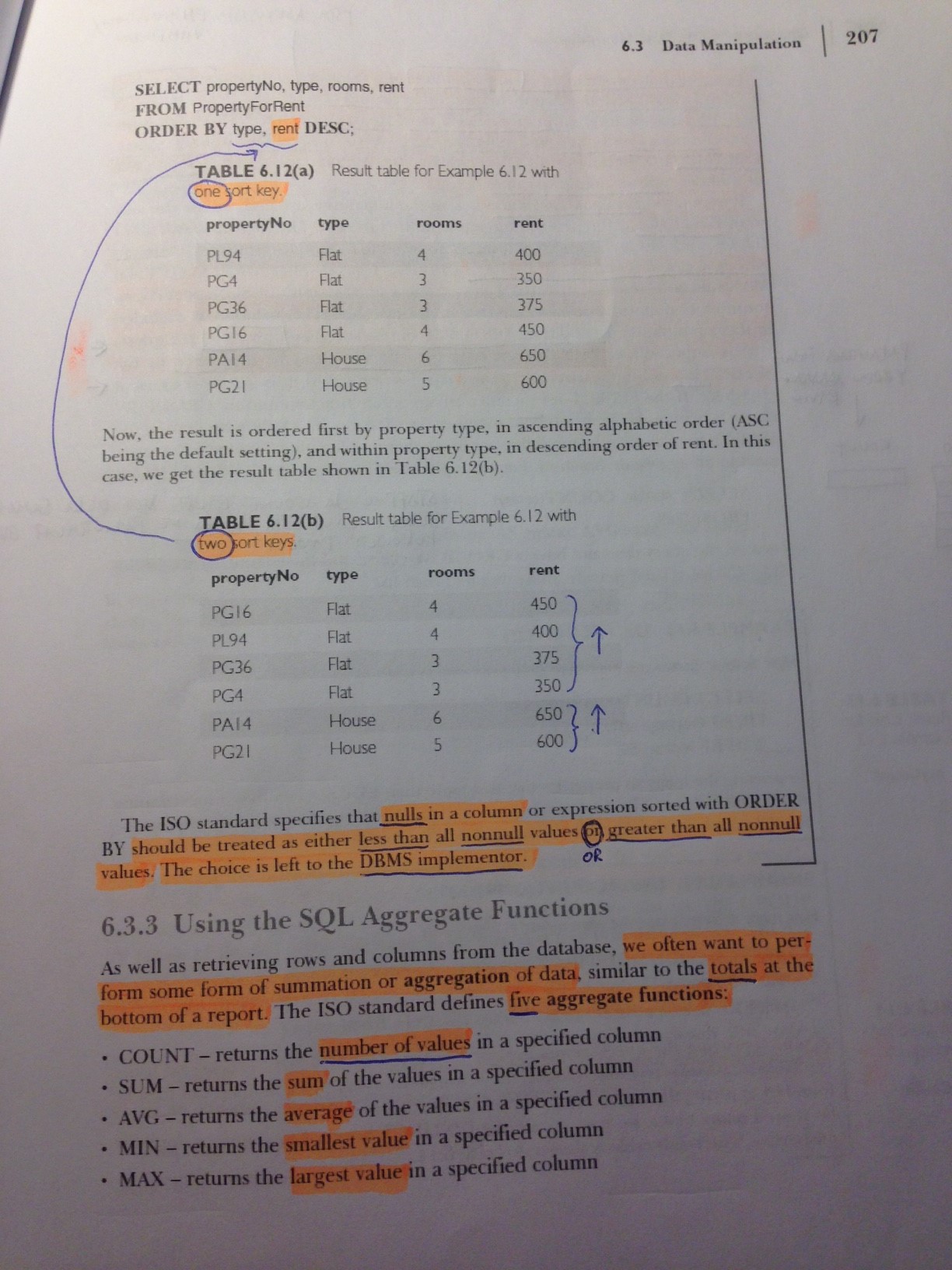
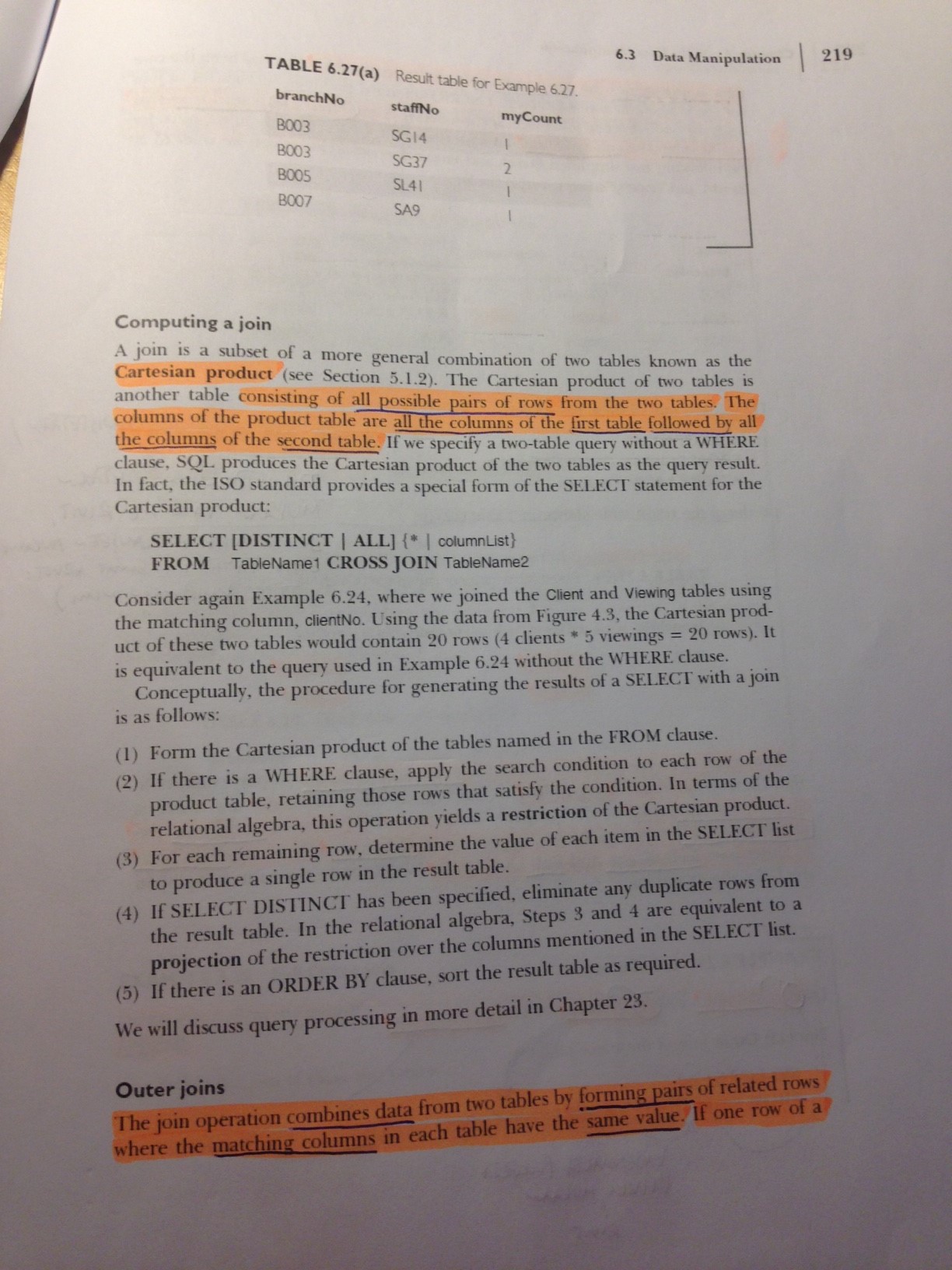
Kirjan esimerkki 6.19 (s. 212) toimii sen takia = -merkin kanssa, koska branchNo:lle löytyy vain yksi osuma (osoite) --> tällöin voi käyttää = -merkkiä.
* Yleensä IN on oikea "sana" (= -merkin paikalla)! --> mahdollistaa useamman kuin yhden osuman
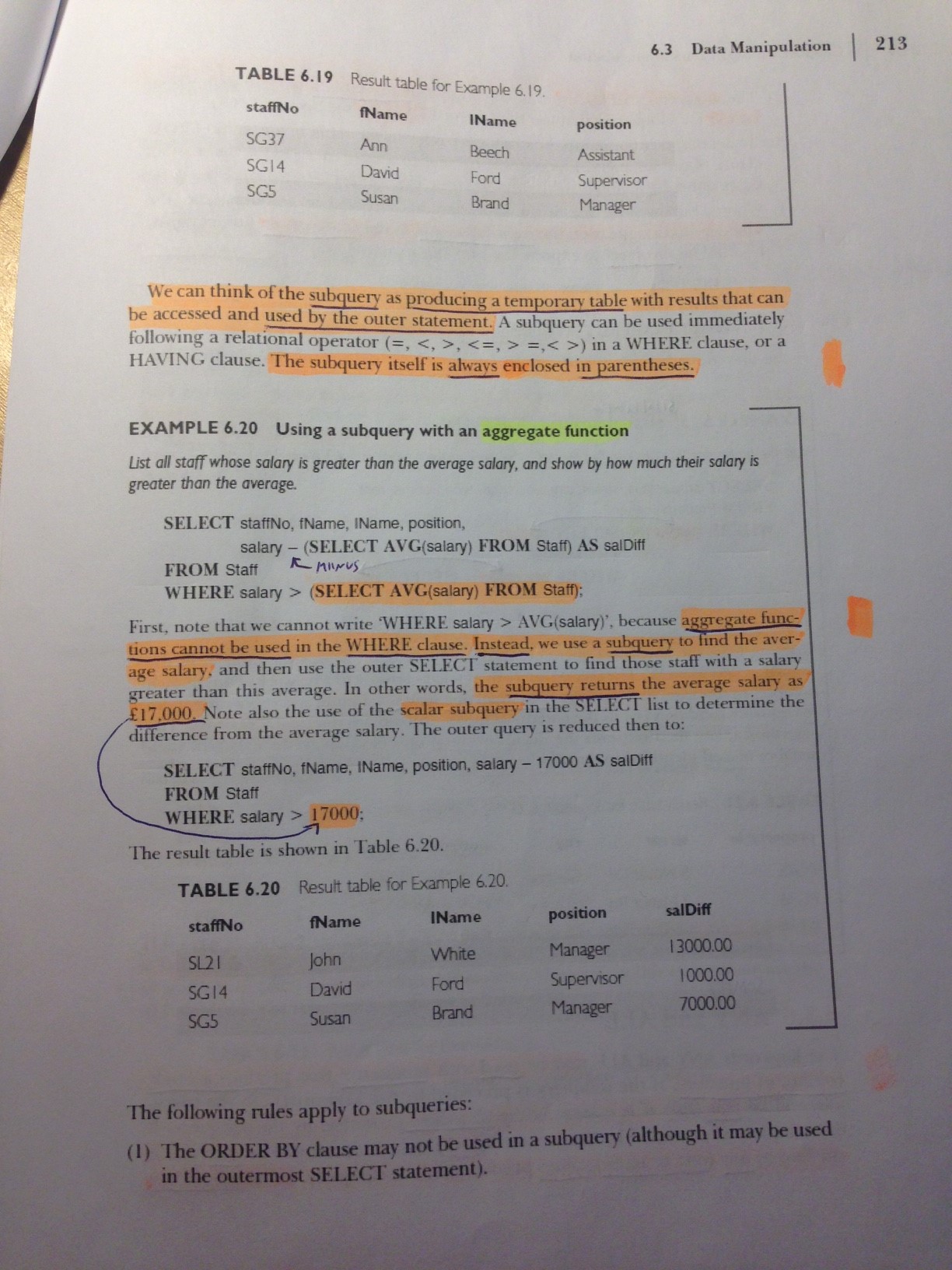
Hae tuotteet, joita on varastossa keskimääräistä enemmän. Kuinka paljon yli keskiarvon niitä on?
SELECT productname, unitsinstock-(SELECT AVG(unitsinstock) FROM products) AS OverStock FROM products
WHERE unitsinstock > (SELECT AVG(unitsinstock) FROM products) ORDER BY OverStock DESC
Hae niiden toimittajien nimet ja osoitteet, joilla on valikoimassaan pulloja
SELECT companyname, address FROM suppliers WHERE supplierid IN (SELECT supplierid FROM products WHERE
quantityperunit LIKE '%bottle%')
TAI (oma ratkaisu):
SELECT DISTINCT(companyname), address FROM suppliers s, products p WHERE p.supplierid=s.supplierid AND quantityperunit LIKE '%bottle%'
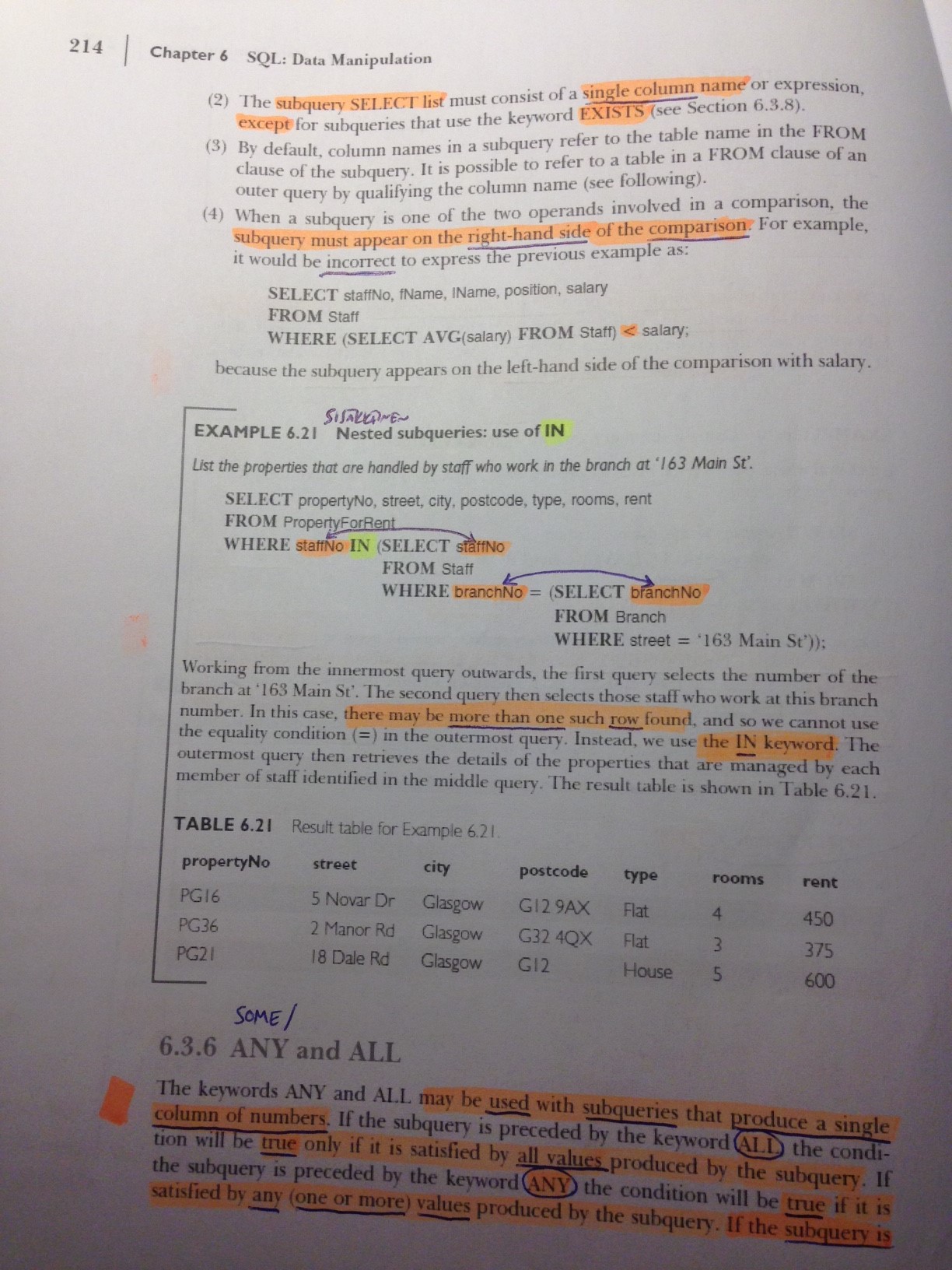
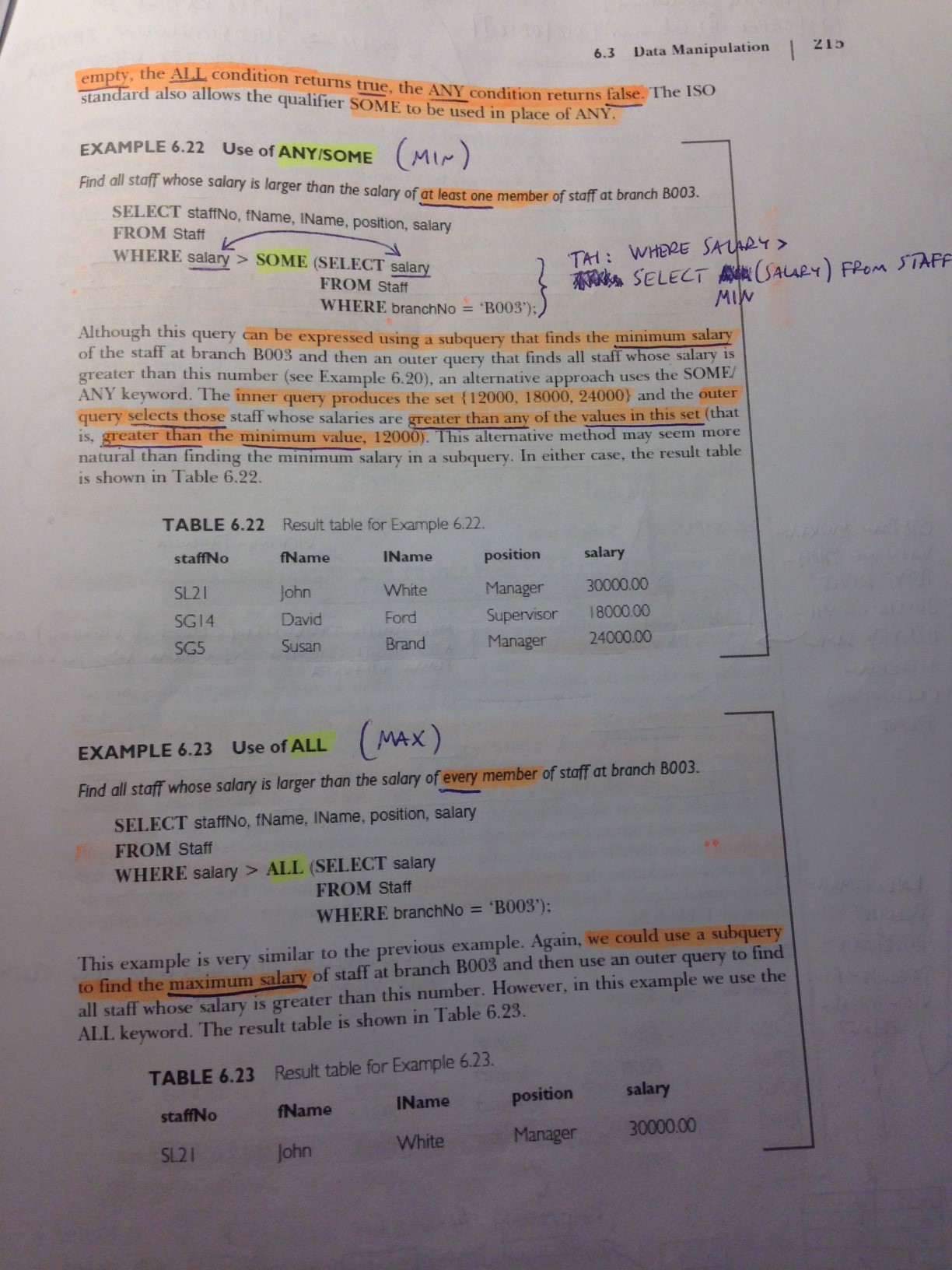
Hae tuotteet, joiden HINTA (Huom! ei: varastosaldo) on matalampi kuin jonkin pullossa toimitettavan tuotteen hinta
SELECT productname, unitprice FROM products WHERE unitprice < ANY (SELECT unitprice FROM products WHERE quantityperunit LIKE '%bottle%')
TAI (oma ratkaisu):
SELECT productname, unitprice FROM products WHERE unitprice < (SELECT MAX(unitprice) FROM products WHERE quantityperunit LIKE '%bottle%')
Hae tuotteet, joiden yksikköhinta on korkeampi kuin minkään pullossa toimitettavan tuotteen hinta
SELECT productname, unitprice FROM products WHERE unitprice > ALL (SELECT unitprice FROM products WHERE quantityperunit LIKE '%bottle%')
* no data found = oikea vastaus
TAI (oma ratkaisu):
SELECT productname, unitprice FROM products WHERE unitprice > (SELECT MAX(unitprice) FROM products WHERE quantityperunit LIKE '%bottle%')
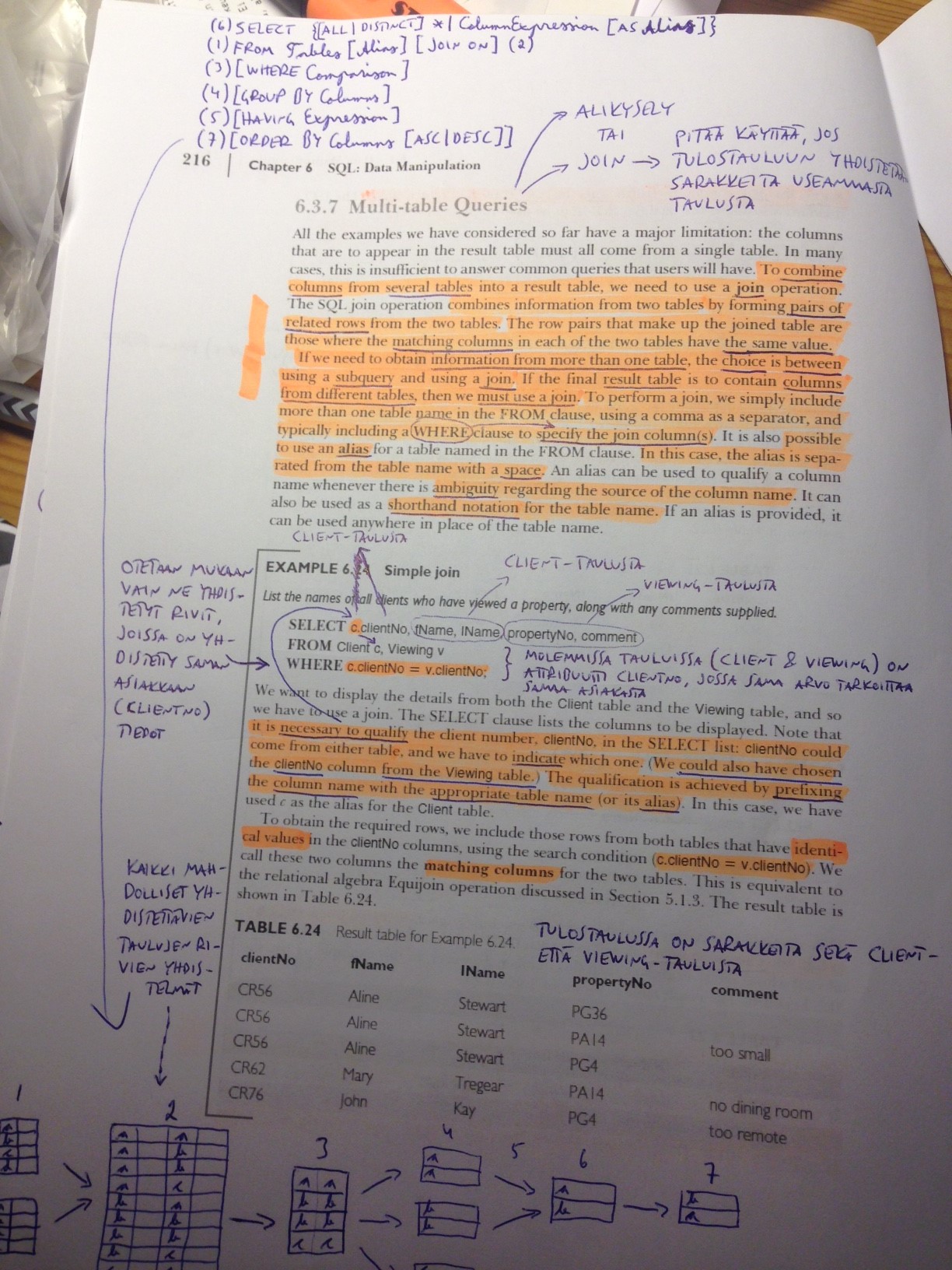
Multi-Table Queries
Listaa toimittajan nimi, tuote ja kunkin tuotteen varastosaldo
SELECT companyname, productname, unitsinstock FROM products p, suppliers s WHERE p.supplierid=s.supplierid
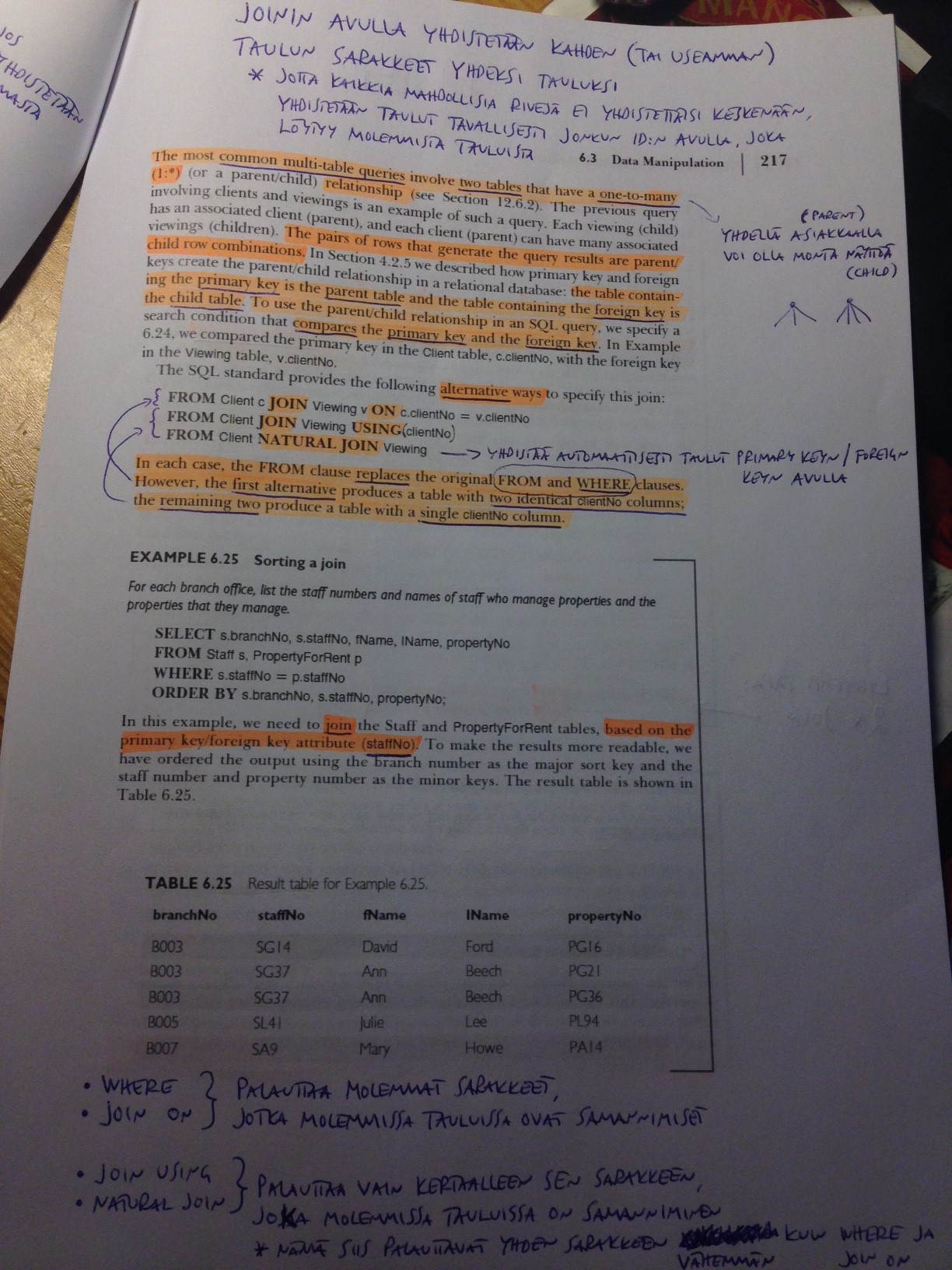
Nämä kaikki palauttavat saman vastauksen!:
SELECT * FROM products p, suppliers s WHERE p.supplierid=s.supplierid
SELECT * FROM products p JOIN suppliers s ON p.supplierid=s.supplierid
SELECT * FROM products p JOIN suppliers s USING (supplierid)
SELECT * FROM products p NATURAL JOIN suppliers s --> etsii automaattisesti linkattavat attribuutit
JOIN-HARJOITUKSET:
Listaa kaikki asiakkaat ja heidän tilauksensa
SELECT * FROM customers NATURAL JOIN orders
SELECT * FROM customers c NATURAL JOIN orders
SELECT * FROM customers c JOIN orders o USING (customerid)
TAI (oma ratkaisu):
SELECT * FROM orders o, customers c WHERE c.customerid=o.customerid
Järjestä lista asiakkaan nimen mukaan aakkosjärjestykseen
SELECT * FROM customers c JOIN orders o USING (customerid) ORDER by customerid
TAI (oma ratkaisu):
SELECT * FROM orders o, customers c WHERE c.customerid=o.customerid ORDER BY c.customerid
Hae regionien vastaavat työntekijät
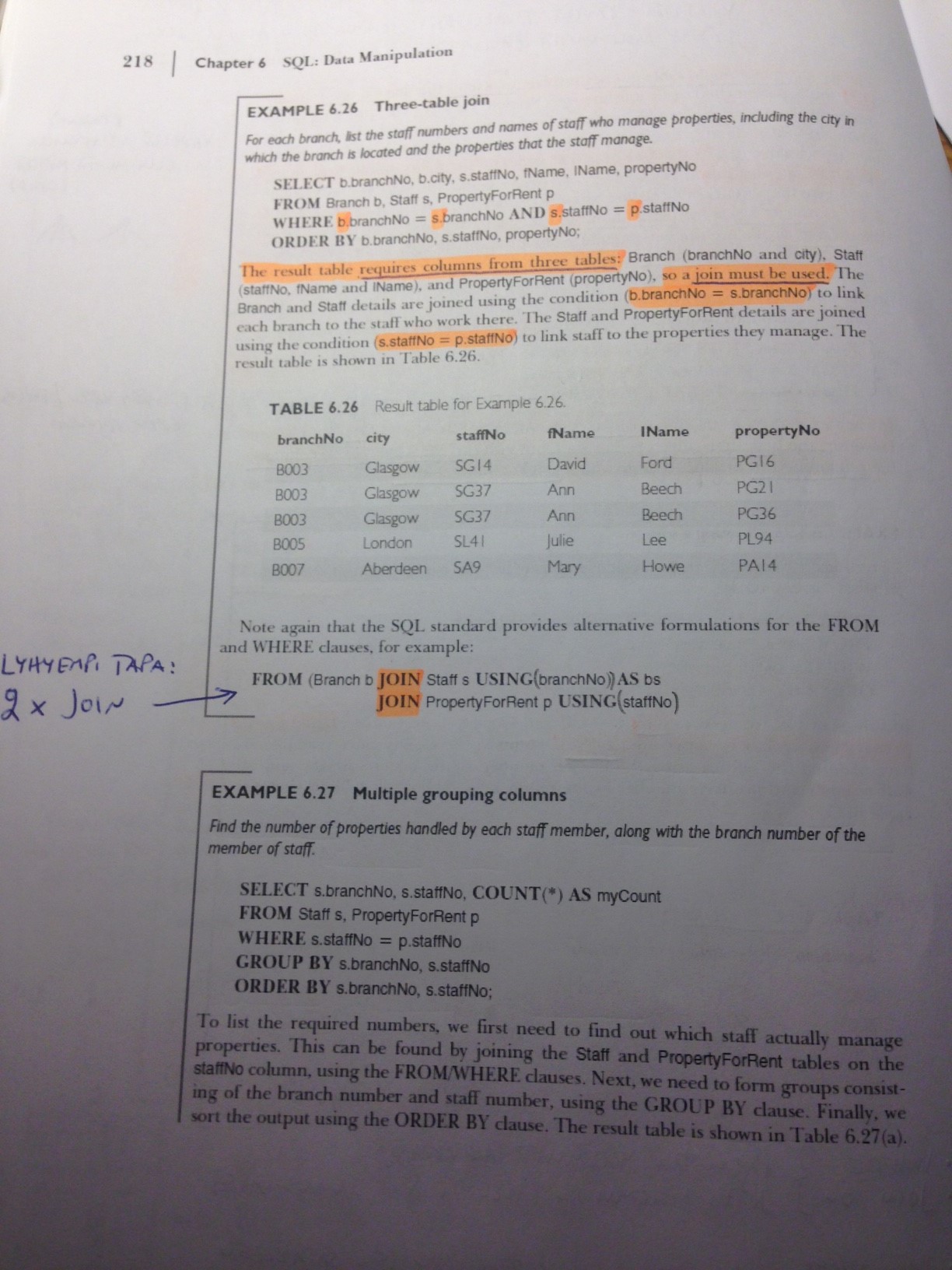
SELECT DISTINCT(lastname), regiondescription FROM employees e, employeeterritories et, territories t, region r WHERE e.employeeid=et.employeeid AND et.territoryid=t.territoryid AND t.regionid=r.regionid
tai
SELECT DISTINCT(lastname), regiondescription FROM employees e NATURAL JOIN employeeterritories et NATURAL JOIN territories t NATURAL JOIN region r
* employeeid löytyy sekä employee- että employeeterritories-tauluista
* territoryid löytyy sekä employeeterritories- että territory-tauluista
* regionid löytyy sekä territory- että region-tauluista
--> eri taulut "ketjutetaan" näiden avulla
Missä kaupungeissa meillä on SEKÄ työntekijöitä ETTÄ asiakkaita?
SELECT DISTINCT(city) FROM employees JOIN customers USING (city);
TAI (oma)
SELECT DISTINCT(e.city) FROM employees e, customers c WHERE e.city=c.city
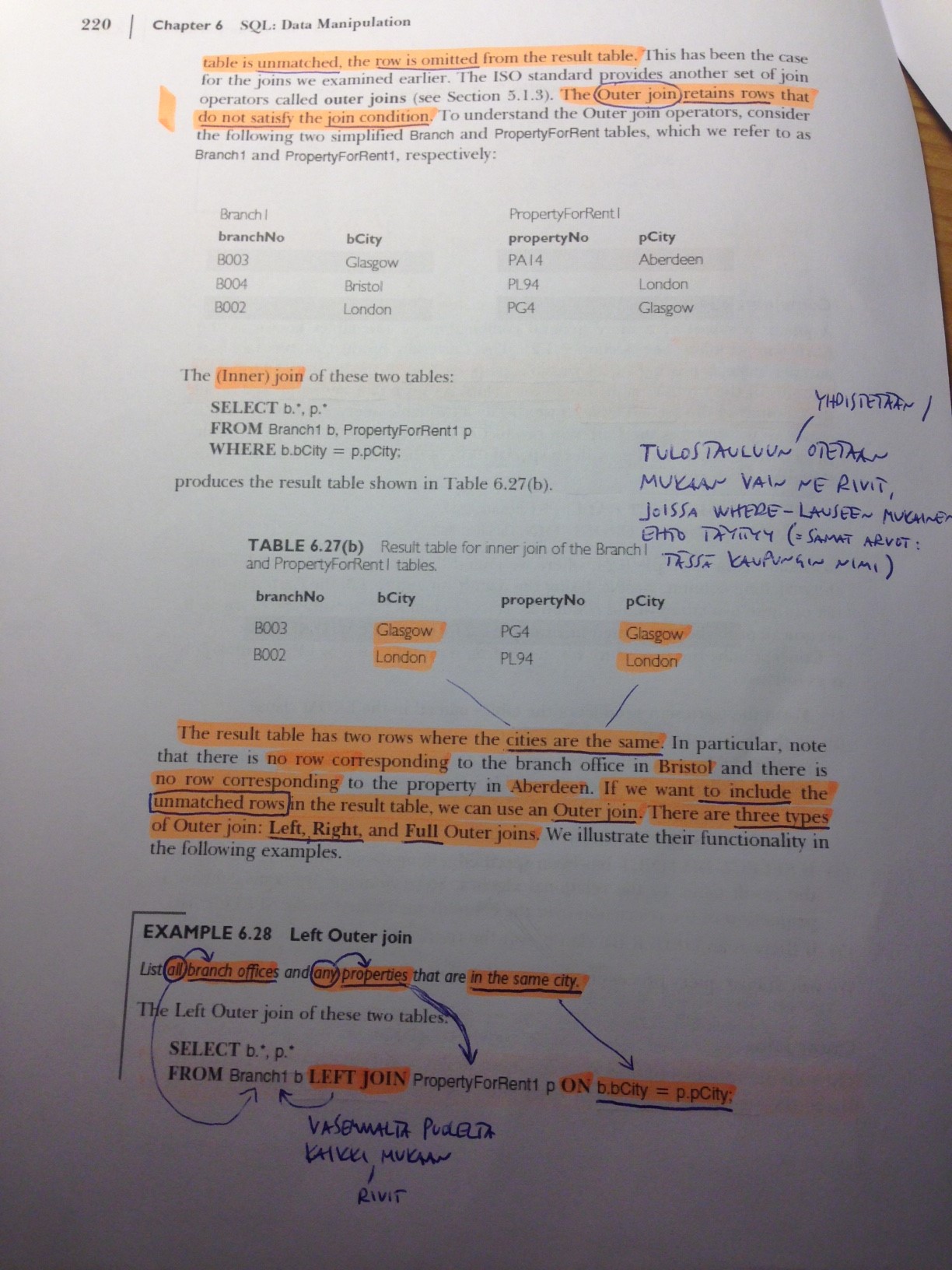
Missä kaupungeissa meillä on asiakkaita, onko näissä kaupungeissa työntekijöitä?
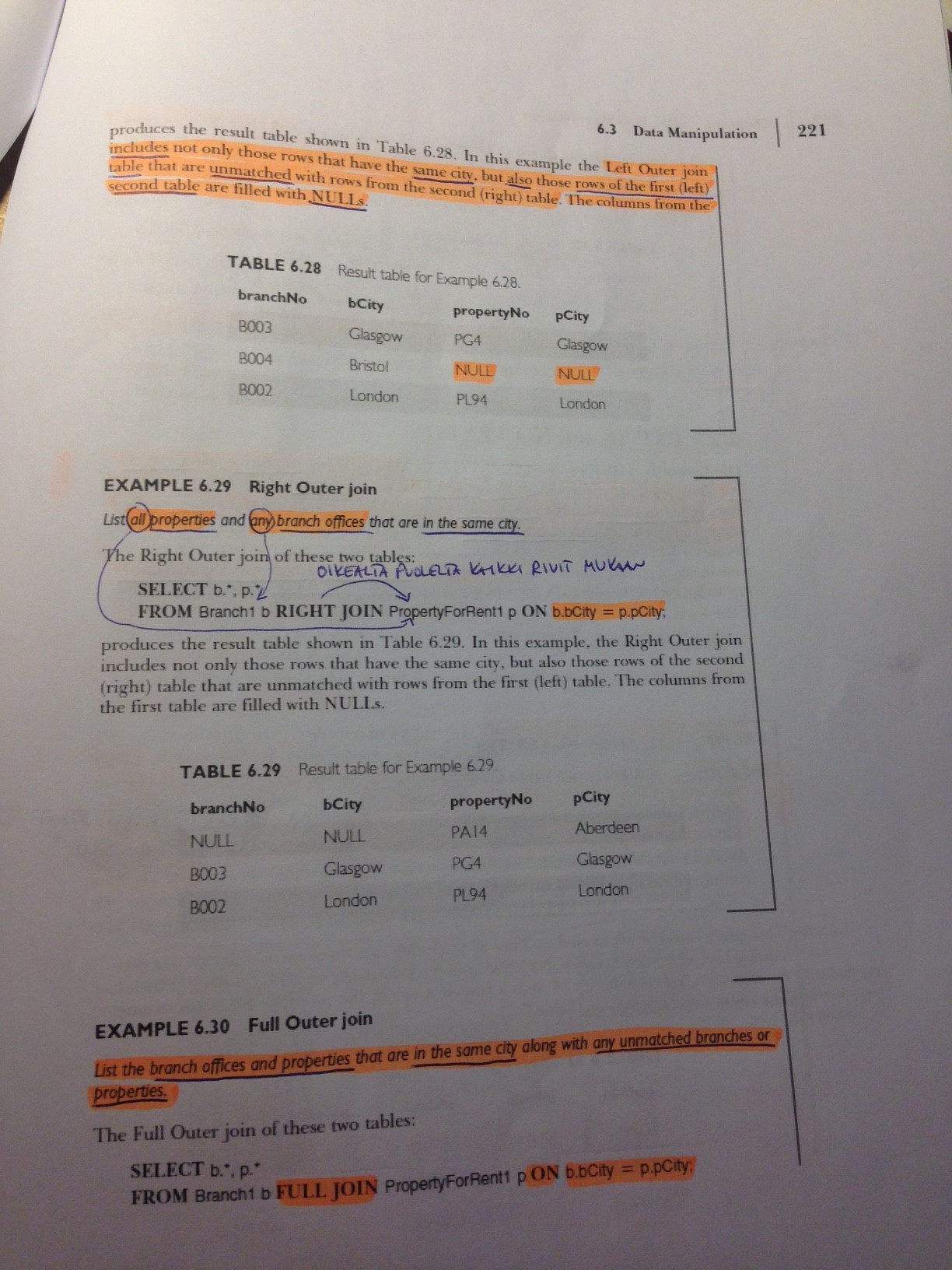
SELECT DISTINCT lastname, city, customerid FROM employees RIGHT JOIN customers USING (city);
Missä kaupungeissa meillä on työntekijöitä, onko näissä kaupungeissa asiakkaita?
SELECT DISTINCT lastname, city, customerid FROM employees LEFT OUTER JOIN customers USING (city);
SELECT DISTINCT lastname, city, customerid FROM employees LEFT JOIN customers USING (city);
Missä kaupungeissa meillä on työntekijöitä tai asiakkaita?
SELECT DISTINCT lastname, city, customerid FROM employees FULL JOIN customers USING (city);
EXTRA (vain joko tai, mutta ei kumpikin):
SELECT DISTINCT lastname, city, customerid FROM employees FULL JOIN customers USING (city) WHERE NOT (customerid IS NOT NULL AND lastname IS NOT NULL);
Lisää uusi asiakas
INSERT INTO Customers (customerid, companyname, contactname, contacttitle, address, city, region, postalcode, country, phone, fax) VALUES ('TEST', 'OYAB', 'Testi Herranen', 'Boss', 'Kujalla 3', 'Taivassalo', 'TS', '10000', 'Suami', NULL, '4444444444')
Kopioi Suppliers-taulusta yritys Customers-tauluun.
INSERT INTO Customers (customerid, companyname, contactname, contacttitle, address, city, region, postalcode, country, phone, fax) SELECT supplierid, companyname, contactname, contacttitle, address, city, region, postalcode, country, phone, fax FROM suppliers WHERE supplierid=1;
Päivitä luomasi asiakkaan puhelinnumero
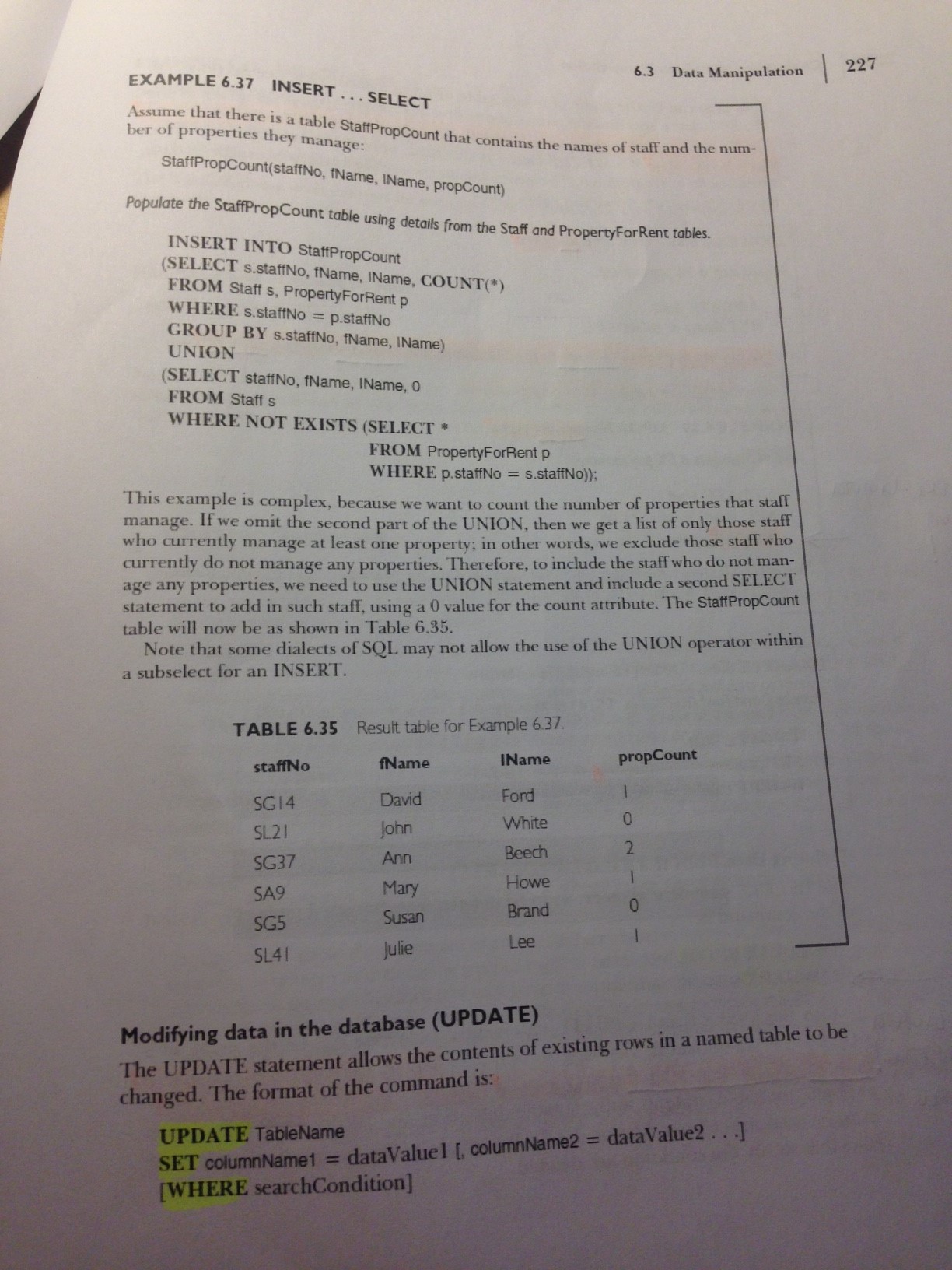
UPDATE customers SET customerid='EXOLI' WHERE customerid='1';
Anna kaikille työntekijöille 5% palkankorotus
Anna esimiehille vielä 2% palkankorotus
Poista luomasi uusi asiakas
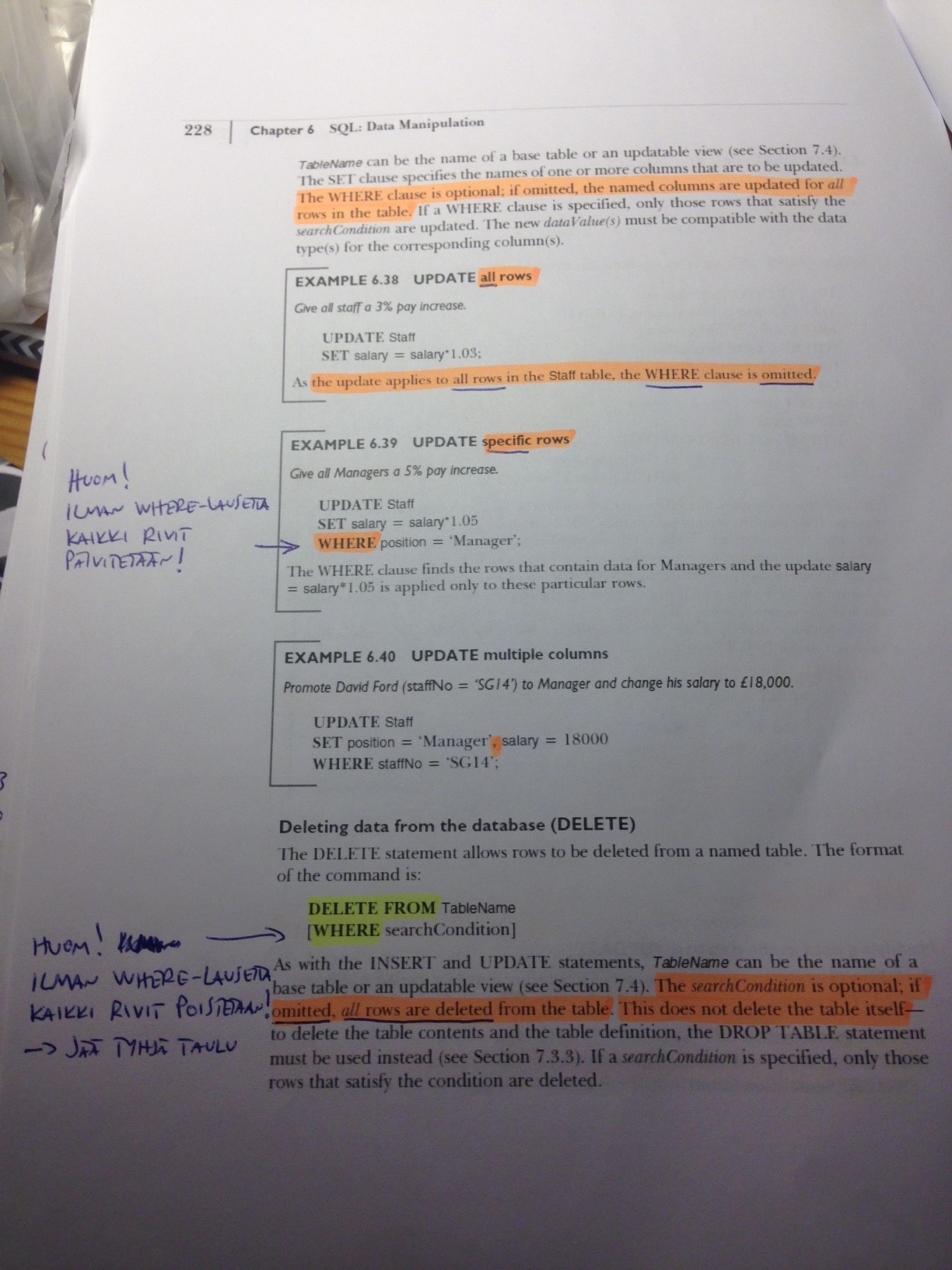
Anna kaikille työntekijöille 5% palkankorotus
UPDATE employees SET salary = salary*1.05
Anna esimiehille vielä 2% palkankorotus
Tehdään ensiksi (varmuuden vuoksi) Select:
SELECT * FROM employees WHERE TITLE LIKE '%Manager%' OR TITLE LIKE '%President%'
UPDATE employees SET salary = salary * 1.02 WHERE TITLE LIKE '%Manager%' OR TITLE LIKE '%President%'
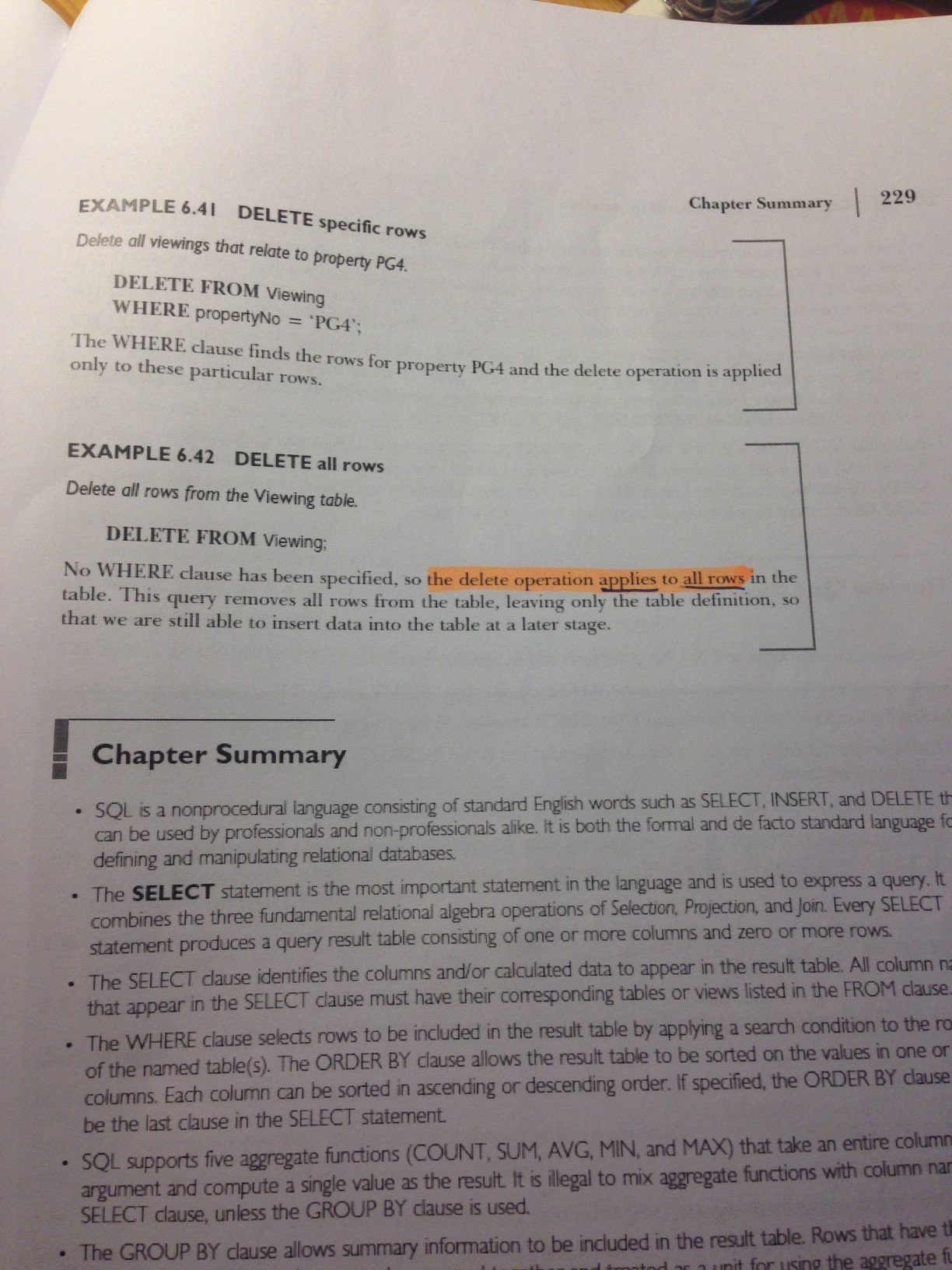
Poista luomasi uusi asiakas
SELECT * FROM customers WHERE customerid='TUAS' (varmuuden vuoksi)
DELETE FROM customers WHERE customerid='TUAS'
Luo uusi taulu Promotions
Primary key promoid int
Foreign key productid int -> products
StartDate date
EndDate date
discount int
CREATE TABLE Promotions
(
promoid int NOT NULL,
productid int NOT NULL,
StartDate Date,
EndDate Date,
discount int,
PRIMARY KEY (promoid),
FOREIGN KEY (productid) REFERENCES products
)
Lisätään constraint:
ALTER TABLE products
ADD PRIMARY KEY (productid)
Poistetaan:
DROP TABLE Promotions
OMIA MUISTIINPANOJA
Taulun luonti ilman constrainteja:
CREATE TABLE Taulu (
sarake1 int,
sarake2 varchar(40),
sarake3 int
);
Taulun luonti constraintien (UNIQUE, PRIMARY KEY, NOT NULL) kanssa
CREATE TABLE Taulu (
sarake1 int NOT NULL UNIQUE,
sarake2 varchar(40) PRIMARY KEY,
sarake3 int UNIQUE
);
* NOT NULL, PRIMARY KEY ja UNIQUE määritellään tietotyypin perään (Huom! ei pilkkuja väliin)
* Samalla sarakkeella ei voi olla sekä PRIMARY KEY että UNIQUE (PRIMARY KEY on NOT NULLin ja UNIQUEn yhdistelmä ja PRIMARY KEYlla on automaattisesti myös UNIQUE)
"Kaksisarakkeisen PRIMARY KEYn määritteleminen taulun luonnin yhteydessä:
CREATE TABLE Taulu (
sarake1 int,
sarake2 varchar(40),
sarake3 int,
PRIMARY KEY (sarake1, sarake2)
);
Constraintien lisääminen olemassa olevaan tauluun:
ALTER TABLE Taulu ADD PRIMARY KEY(sarake1);
* Taulussa voi olla vain yksi PRIMARY KEY, joskin se voi koostua useammasta sarakkeesta:
ALTER TABLE Taulu ADD PRIMARY KEY(sarake1,sarake2);
- NOT NULL täytyy määritellä taulun luonnin yhteydessä (ei voi lisätä jälkikäteen)
Constraintin nimeäminen:
CREATE TABLE Taulu (
sarake1 int,
sarake2 varchar(40),
sarake3 int,
CONSTRAINT uniq_taulu UNIQUE (sarake1),
CONSTRAINT pk_taulu PRIMARY KEY (sarake2, sarake3)
);
* Constraintin nimi pitää olla yksilöllinen (vaikka olisi kyse eri taulusta)
Constraintin lisääminen olemassa olevaan tauluun:
ALTER TABLE taulu ADD CONSTRAINT uniq UNIQUE(sarake1);
ALTER TABLE taulu ADD CONSTRAINT pk PRIMARY KEY(sarake2);
Nimetyn constraintin poistaminen:
ALTER TABLE taulu DROP CONSTRAINT pk;
FOREIGN KEY -constraintin lisääminen taulun luonnin yhteydessä:
CREATE TABLE Taulu2 (
sarake1 int,
sarake2 int,
FOREIGN KEY(sarake1) REFERENCES Taulu(sarake1)
);
- Taulussa "Taulu" sarake1 täytyy olla määritelty PRIMARY KEY:ksi
- Taulussa "Taulu2" sarake1:n täytyy olla samaa tietotyyppiä kuin "Taulu2:n sarake1 (eli ne sarakkeet, jotka linkataan toisiinsa)
FOREIGN KEY -constraintin lisääminen olemassa olevaan tauluun:
ALTER TABLE taulu2 ADD CONSTRAINT fk FOREIGN KEY(sarake1) REFERENCES taulu(sarake1);
Nimetyn FOREIGN KEY -constraintin lisääminen taulun luonnin yhteydessä:
CREATE TABLE taulu2
(
sarake1 int,
sarake2 int,
CONSTRAINT fk FOREIGN KEY(sarake1) REFERENCES taulu(sarake1)
);
Nimetyn FOREIGN KEY -constraintin lisääminen olemassa olevaan tauluun:
ALTER TABLE taulu2 ADD CONSTRAINT fk FOREIGN KEY(sarake1) REFERENCES taulu(sarake1);
Nimetyn FOREIGN KEY:n poistaminen
ALTER TABLE taulu2 DROP CONSTRAINT fk;
CHECK-constraintin määrittäminen taulun luonnin yhteydessä:
CREATE TABLE taulu
(
sarake1 int CHECK (sarake1>0),
sarake2 int
);
Nimetyn CHECK-constraintin määrittäminen (Huom! voi sisältää tarkastuksen useaan eri sarakkeeseen)
CREATE TABLE taulu
(
sarake1 int,
sarake2 int,
CONSTRAINT chk CHECK (sarake1>0 AND sarake2 BETWEEN 1 AND 9)
);
CHECK-constraintin lisääminen olemassa olevaan tauluun:
ALTER TABLE taulu ADD CHECK (sarake1>0);
Nimetyn CHECK-constraintin lisääminen olemassa olevaan tauluun:
ALTER TABLE taulu ADD CONSTRAINT chk2 CHECK (sarake2>0)
DEFAULT-constrainin määrittäminen luotavaan tauluun:
CREATE TABLE taulu
(
sarake1 int DEFAULT 2,
sarake2 varchar(10) DEFAULT 'Turku',
sarake3 int
)
DEFAULT-constrainin määrittäminen olemassa olevaan tauluun (EI TOIMI: "invalid ALTER TABLE option")
ALTER TABLE taulu ALTER COLUMN sarake1 SET DEFAULT 2;
Sarakkeen lisääminen olemassa olevaan tauluun:
ALTER TABLE taulu ADD sarake3 int;
Sarakkeen poistaminen taulusta:
ALTER TABLE taulu DROP COLUMN sarake3;
Sarakkeen tietotyypin vaihtaminen (EI TOIMI: "ORA-01735: invalid ALTER TABLE option":
ALTER TABLE taulu ALTER COLUMN sarake1 varchar(10);
Näkymän (VIEW) luominen:
CREATE VIEW nakyma AS SELECT sarake1, sarake2, sarake3 FROM taulu WHERE sarake2 IS NOT NULL;
Näkymää voi kysyä tämän jälkeen sen nimellä:
SELECT * FROM nakyma;
KOTITEHTÄVÄT
SELECT
Find names of those products, which we have over 100 units in warehouse.
SELECT productname FROM products WHERE unitsinstock > 100;
Find names and unit prices of those products, which have unit price higher than 50. Order the Find in alphabetical order by product name.
SELECT productname, unitprice FROM products WHERE unitprice > 50 ORDER BY productname ASC;
Find names of employees working in London.
SELECT lastname, firstname FROM employees WHERE city='London';
Find names of employees working somewhere else than London.
SELECT lastname, firstname FROM employees WHERE NOT city='London';
Find address information of customers living in Rio de Janeiro or in México D.F. in postal code area (05020-05030).
SELECT address FROM customers WHERE city='Rio de Janeiro' OR (city='México D.F.' AND postalcode BETWEEN 05020 AND 05030);
Find address information of customers living in México D.F. in some other postal code area than (05020-05030).
SELECT address FROM customers WHERE city='México D.F.' AND (postalcode NOT BETWEEN 05020 AND 05030);
Find orders, which have not been shipped yet ie. there is no shipped date.
SELECT orderid FROM orders WHERE shippeddate IS NULL;
Find names of employees having superior. The list should be in ascending order by employee's lastname.
SELECT lastname, firstname FROM employees WHERE reportsto IS NOT NULL ORDER BY lastname ASC;
Find suppliers not having region information.
SELECT supplierid, companyname FROM suppliers WHERE region IS NULL;
Find suppliers having region information. Show the area information on the Find also.
SELECT supplierid, companyname, region FROM suppliers WHERE region IS NOT NULL;
Find orders made in 1998. Order the list by month of orderdate. Show ordernumber, customer id and month number of orderdate.
SELECT orderid, customerid, orderdate FROM orders WHERE orderdate LIKE '�98%' ORDER BY orderdate ASC;
(Jani: to_char(orderdate,'mm'), nyt kun orderdate on tyyppiä date. Mutta silloin LIKE ei enää toimi. Tämä on ok. )
Find names of employees, who were hired in 1992.
SELECT firstname, lastname FROM employees WHERE hiredate LIKE '�92';
Find products names and prices. The list should be in descending order by product name.
SELECT productname, unitprice FROM products ORDER BY productname DESC;
Find names and post areas of employees. The list should be in descending order by post area and in ascending order by employee name.
SELECT lastname, firstname, postalcode FROM employees ORDER BY postalcode DESC, lastname ASC;
Find names of companies in ascending order. The list should include both supplier names and customer names!
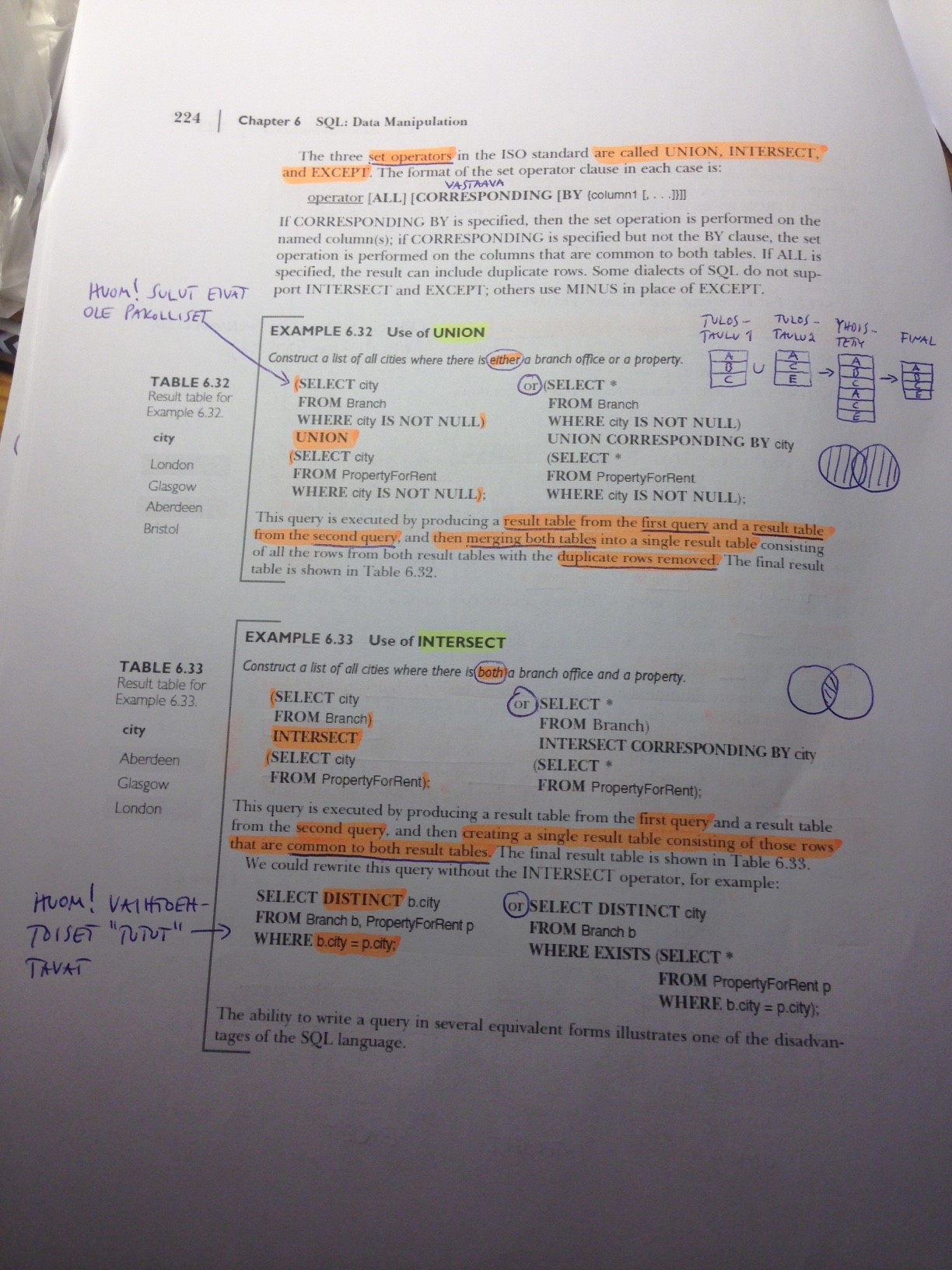
SELECT companyname FROM suppliers UNION SELECT companyname FROM customers ORDER BY companyname ASC;
Find names of companies in ascending order. The list should include both supplier names and customer names. There should also be information whether this company is supplier or customer.
SELECT CONCAT(companyname, ' Supplier') FROM suppliers UNION SELECT CONCAT(companyname, ' Customer') FROM customers ORDER BY 1 ASC;
Find names and contact information of all people in database. Produce a list where is
SELECT contactname AS Name, CONCAT('Add. ', address) AS "Address/Tel" FROM suppliers UNION SELECT contactname, CONCAT('Add. ', address) FROM customers UNION SELECT CONCAT(firstname, lastname), CONCAT('Tel. ', homephone) FROM employees;
Find out how much would value of order 10288 raise, if you raise original unit price with 5 € and at the same time you raise original unit price +5 %.
SELECT orderid, ((unitprice+5)*1.05*quantity*(1-discount))-(unitprice*quantity*(1-discount)) AS order_price_change FROM order_details WHERE orderid = 10288;
Find the product having highest unit price.
SELECT productname, unitprice FROM products WHERE unitprice = (SELECT MAX(unitprice) FROM products);
Find the product having lowest unit price.
SELECT productname, unitprice FROM products WHERE unitprice = (SELECT MIN(unitprice) FROM products);
Find the average unit price and the count of products.
SELECT AVG(unitprice) AS Average_unit_price, COUNT(*) AS Count_of_products FROM products;
Find the count of products having unit price over 500 €.
SELECT COUNT(*) AS Count_of_price_over_500 FROM products WHERE unitprice > 500;
Find post areas from where we have customers. Every post area should be only once in the list.
SELECT DISTINCT postalcode FROM customers WHERE postalcode IS NOT NULL;
Find the count of different post areas we have customers from.
SELECT COUNT(DISTINCT postalcode) FROM customers WHERE postalcode IS NOT NULL;
Find the number of products in every product category. The list should have two columns: category name and count of products in this category.
SELECT categoryname, count(categoryname) AS count_of_products FROM products JOIN categories USING (categoryid) GROUP BY categoryname;
Find average, maximum and minimum of quantities in order details for every product. The list should be in descending order by average values.
SELECT productname, AVG(quantity), MAX(quantity), MIN(quantity) FROM order_details JOIN products USING (productid) GROUP BY productname ORDER BY AVG(quantity) DESC;
Like previous, but only for products ordered at least in 50 orders.
SELECT productname, AVG(quantity), MAX(quantity), MIN(quantity) FROM order_details JOIN products USING (productid) GROUP BY productname HAVING COUNT(productid) >= 50 ORDER BY AVG(quantity) DESC;
Like previous, but only for Beverages catagory.
SELECT p.productname, AVG(o.quantity), MAX(o.quantity), MIN(o.quantity) FROM order_details o, products p, categories c WHERE o.productid = p.productid AND p.categoryid = c.categoryid AND c.categoryname='Beverages' GROUP BY p.productname HAVING COUNT(p.productid) >= 50 ORDER BY AVG(o.quantity) DESC;
Find name of customer, orderid and orderdate for orders 10600 - 10620.
SELECT companyname, orderid, orderdate FROM orders JOIN customers USING (customerid) WHERE orderid BETWEEN 10600 AND 10620;
Find the number of products ordered in every order having shipcountry France. List should have two columns: orderid and quantity of products. The list should also be in decending order by quantity of products.
SELECT orderid, quantity AS Quantity_of_products FROM orders JOIN order_details USING(orderid) WHERE shipcountry='France' ORDER BY quantity DESC;
Find the orders handled by employee Robert King. List should include columns orderid and customer's name. The list should be in ascending order by names of customers.
SELECT orderid, companyname FROM orders o, employees e, customers c WHERE o.employeeid=e.employeeid AND o.customerid=c.customerid AND lastname='King' AND firstname='Robert' ORDER BY companyname ASC;
How many different customers Robert King has managed by handling orders?
SELECT COUNT (DISTINCT companyname) FROM orders o, employees e, customers c WHERE o.employeeid=e.employeeid AND o.customerid=c.customerid AND lastname='King' AND firstname='Robert';
Find the customers whose orders Robert King has managed at least three times.
SELECT companyname FROM orders o, employees e, customers c WHERE o.employeeid=e.employeeid AND o.customerid=c.customerid AND lastname='King' AND firstname='Robert' GROUP BY companyname HAVING COUNT(companyname) >= 3;
Find the suppliers of every product. The list should have two columns: Supplier name and Product name. The list should also be in ascending order by supplier name.
SELECT companyname, productname FROM suppliers JOIN products USING(supplierid) ORDER BY companyname;
Find the suppliers of every product in Beverages category. The list should have two columns: Supplier name and Product name. The list should also be in ascending order by supplier name.
SELECT companyname, productname FROM suppliers JOIN products USING(supplierid) JOIN categories USING(categoryid) WHERE categoryname='Beverages' ORDER BY companyname;
Find names and ages of employees. Calculate the age approximately by substracting year of birth and current year. Name the employee age columns to age.
SELECT firstname, lastname, (to_char(sysdate, 'yyyy')-to_char(birthdate, 'yyyy')) AS age FROM employees;
Calculate the employees exact age.
SELECT firstname, lastname, ROUND((MONTHS_BETWEEN(SYSDATE, birthdate)/12),0) AS age FROM employees;
Suppose that we would have added 25 € to every order as billing costs. How much would every customer then have been paid to us as billing costs?
SELECT customerid, COUNT(*)*25 AS BillingCosts FROM orders JOIN customers USING(customerid) GROUP BY customerid;
Find names of employees and their subordinates.
SELECT a.firstname ||' '|| a.lastname AS Employee, b.firstname ||' '|| b.lastname AS Subordinate FROM employees a, employees b WHERE b.reportsto=a.employeeid;
Find names of employees and their subordinates. Show also employees that don't have subordinate.
SELECT a.firstname ||' '|| a.lastname AS Employee, b.firstname ||' '|| b.lastname AS Subordinate FROM employees a, employees b WHERE b.reportsto=a.employeeid(+);
Find products having quantity in stock less than their reorderlevel.
SELECT productname, unitsinstock, reorderlevel FROM products WHERE unitsinstock < reorderlevel;
Find orders shipped next day after order date.
SELECT orderid, orderdate, shippeddate FROM orders WHERE orderdate+1 = shippeddate;
Find customers, who have ordered Lakkalikööriä. Customer should be on the list only once.
SELECT DISTINCT(companyname) FROM customers JOIN orders USING(customerid) JOIN order_details USING(orderid) JOIN products USING(productid) WHERE productname LIKE '%Lakkalikööri%';
How many different customers have orded products supplied by Bigfoot Breweries.
SELECT DISTINCT COUNT(customerid) FROM suppliers s JOIN products USING(supplierid) JOIN order_details USING(productid) JOIN orders USING(orderid) JOIN customers c USING(customerid) WHERE s.companyname='Bigfoot Breweries';
Find all finnish, swedish and norwegian suppliers and customers. The list should be in ascending order by country.
SELECT companyname, country FROM suppliers WHERE country IN ('Finland', 'Sweden', 'Norway') UNION SELECT companyname, country FROM customers WHERE country IN ('Finland', 'Sweden', 'Norway') ORDER BY country ASC;
Find employees having started later than every London employees.
SELECT firstname ||' '|| lastname AS Name, hiredate FROM employees WHERE hiredate > ALL (SELECT hiredate FROM employees WHERE city IN 'London');
Find employees having started later than some London employee.
SELECT firstname ||' '|| lastname AS Name, hiredate FROM employees WHERE hiredate > ANY (SELECT hiredate FROM employees WHERE city IN 'London');
Find post area where we have both employees and customers.
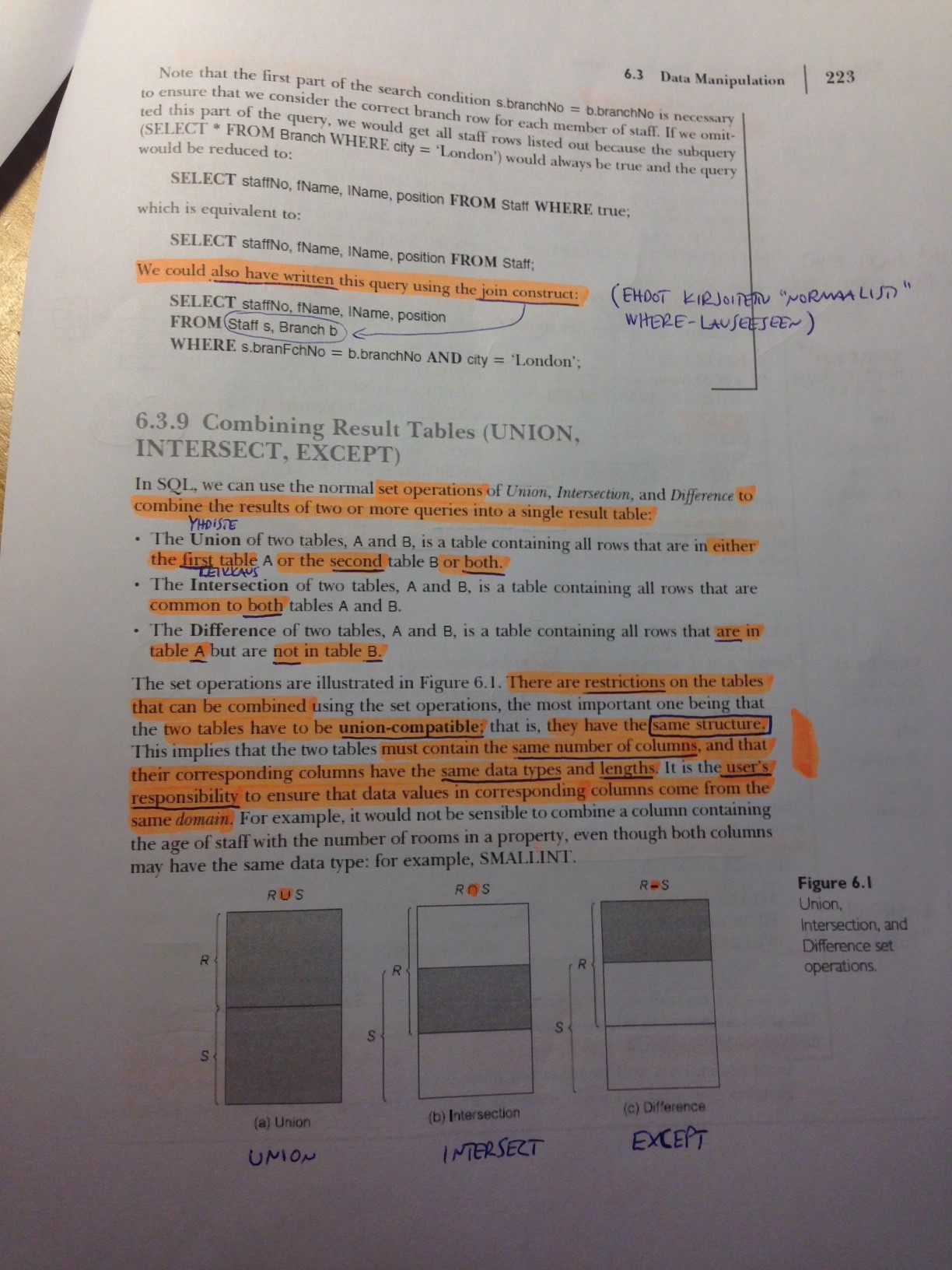
SELECT postalcode FROM employees INTERSECT SELECT postalcode FROM customers;
Find post area where we have employees but not customers.
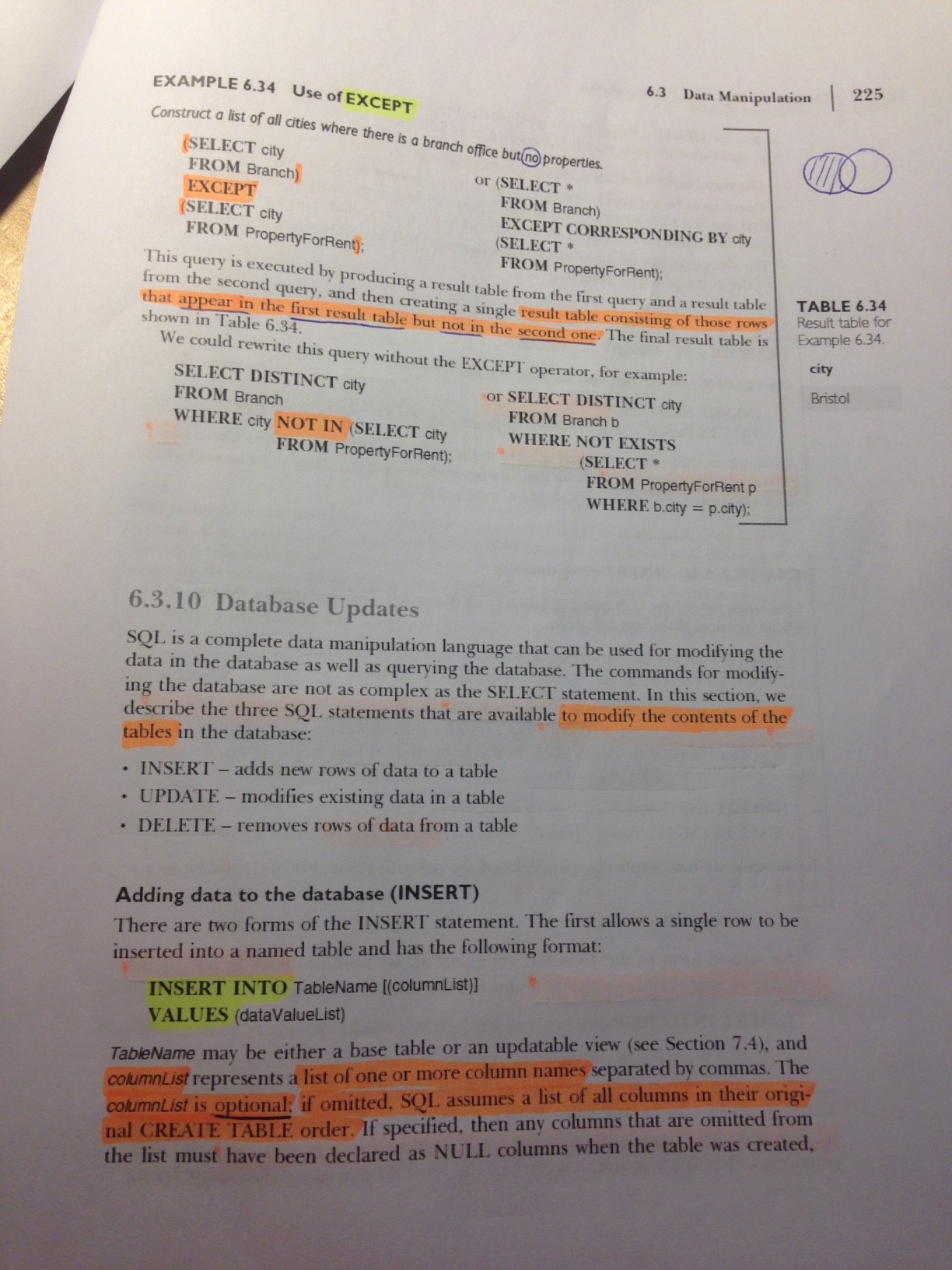
SELECT postalcode FROM employees EXCEPT SELECT postalcode FROM customers;
INSERT / UPDATE / DELETE
Add your information to Employees table. Check first how data is represented in this table. You don't have phone number at work (Extension).
INSERT INTO employees (employeeid, lastname, firstname, title, titleofcourtesy, birthdate, hiredate, address, city, postalcode, country, homephone, salary) VALUES (10, 'Luhtinen', 'Kalle', 'CIO', 'Mr.', DATE '1979-12-10', DATE '2016-01-01', 'Vähä Hämeenkatu 12 a B 22', 'Turku', '20500', 'Finland', '050-3479541', 4000);
Add new order and put yourself as employee. You don't know the shipped day!
INSERT INTO orders (orderid, customerid, employeeid, orderdate, requireddate, shipvia, freight, shipname, shipaddress, shipcity, shipregion, shippostalcode, shipcountry) VALUES (11078, 'HU', 10, DATE '2016-03-03', DATE '2016-04-04', 2, 10.50, 'Fedex', 'Kotikuja 14', 'Turku', 'Varsinais-Suomi', '20100', 'Finland')
Add two rows in orderdetails from the previous order. They do not have any discount.
INSERT INTO order_details VALUES (11078, 40, 13, 2, 0);
INSERT INTO order_details VALUES (11078, 42, 10, 20, 0);
The shipped day for Order in exercise 59 is tomorrow. Update the information!
UPDATE orders SET shippeddate=DATE '2016-03-28' WHERE orderid=11078;
You finally got a work phone: the extension is 4455.
UPDATE employees SET extension='4455' WHERE employeeid=10;
Add your information to Customers-table using Select-form of Insert-sentence. Leave those fields empty, which you don't get from Employees-table.
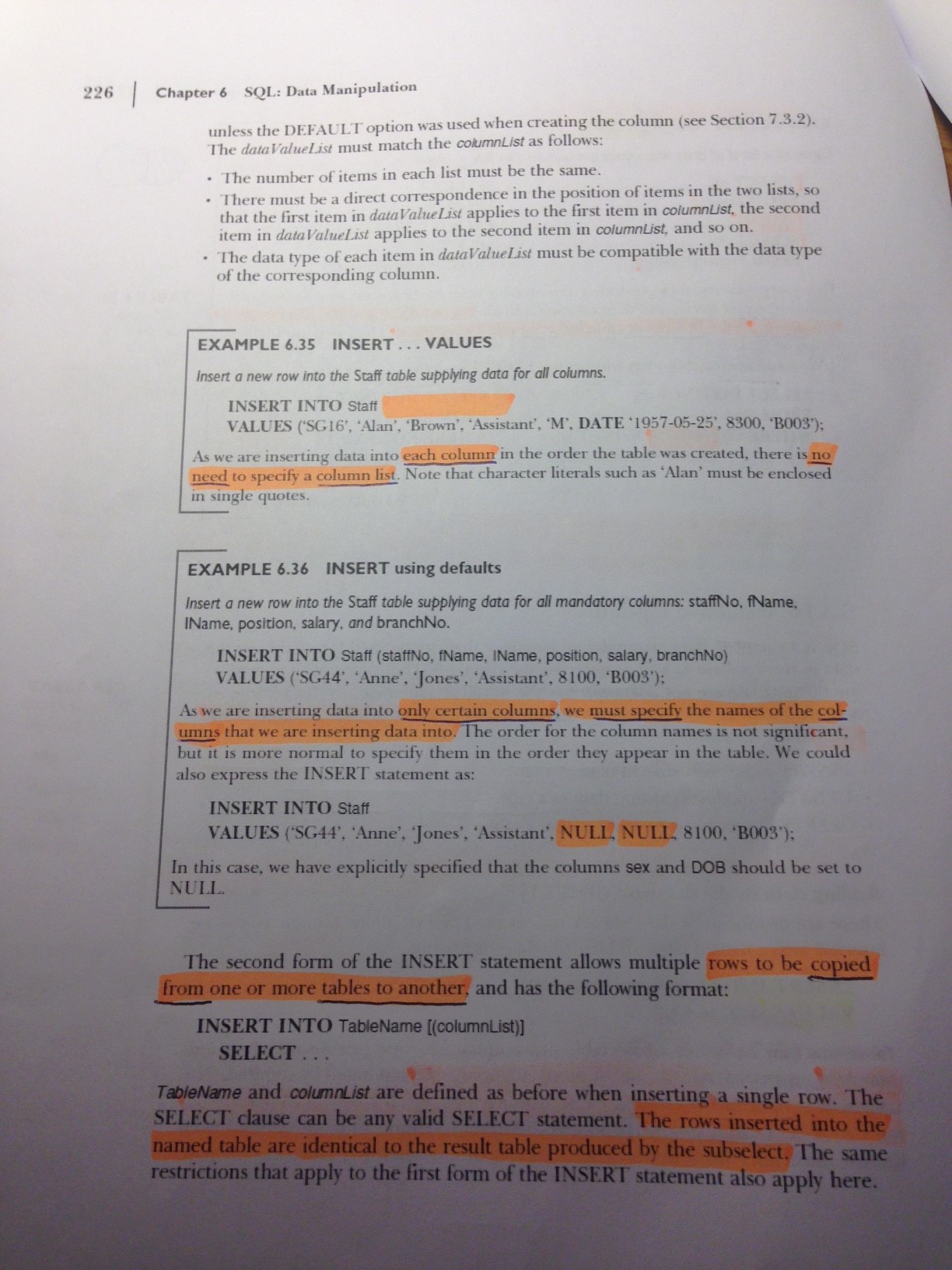
INSERT INTO customers (contactname, contacttitle, address, city, region, postalcode, country, phone) SELECT lastname, title, address, city, region, postalcode, country, homephone FROM employees WHERE employeeid=10;
Raise prices of products in Beverages category with 2 %.
UPDATE products SET unitprice=unitprice*1.02 WHERE categoryid = (SELECT categoryid FROM categories WHERE categoryname='Beverages');
Remove the order and orderlines you made earlier.
DELETE FROM orders WHERE orderid=11078;
DELETE FROM order_details WHERE orderid=11078;
Change your title to Chief Executive and country to Cayman-Islands.
UPDATE employees SET title='Chief Executive', country='Cayman-Islands' WHERE employeeid=10;
Put yourself as boss for two employees without knowing your employeeid.
UPDATE employees SET reportsto = (SELECT employeeid FROM employees WHERE lastname='Luhtinen' AND firstname='Kalle') WHERE employeeid IN (1,2);
CREATE / ALTER / DROP
Create new table called Players. There are three columns: id, name and other_information. Id is number, name and other_informatio are both strings. Check that table exists.
CREATE TABLE Players
(
id int,
name varchar(50),
other_information varchar(255)
);
Define Id-column as primary key in the Players-table.
ALTER TABLE Players ADD PRIMARY KEY (id);
Add new column Salary to Players. Salary can be anything between 0 to 50000 (= There is also check constraint called Salary_ck).
ALTER TABLE Players ADD Salary int;
ALTER TABLE Players ADD CONSTRAINT Salary_ck CHECK (salary BETWEEN 0 AND 50000);
Create new table called Teams. There are two columns: team_id and teamname. Both field are mandatory.
CREATE TABLE Teams (
team_id int NOT NULL,
teamname varchar(40) NOT NULL
);
Add new column Team to Players. This column is foreign key to Teams-table referencing to team_id. What you have to do before you succeed?
ALTER TABLE Players ADD Team varchar(40);
ALTER TABLE Teams ADD PRIMARY KEY (team_id);
Foreign key- ja Primary key -sarakkeiden pitää olla samaa tietotyyppiä (tämä käsky ei jostain syystä mene kuitenkaan läpi):
ALTER TABLE Players ALTER COLUMN team int;
ALTER TABLE Players ADD FOREIGN KEY (team) REFERENCES Teams(team_id);
Remove column other_information from Players-table.
ALTER TABLE Players DROP COLUMN other_info;
(En tiedä miksi käsky ei mene läpi)
Create view Team_players. The view has columns teamname and playername.
CREATE VIEW Team_players AS SELECT teamname, name FROM Players, Teams;
Add new column LeagueLevel to Teams. Default value for the column is 'Premier'.
ALTER TABLE Teams ADD LeagueLevel varchar(30) DEFAULT 'Premier';
Create view PremierLeagueTeams, which shows on teams in Premier-league.
CREATE VIEW PremierLeagueTeams AS SELECT leaguelevel FROM Teams WHERE leaguelevel='Premier';
Remove Team table. What else do you have to do?
Taulujen välinen linkkaus täytyy poistaa ennen Team-taulun poistamista.
DROP TABLE Teams;
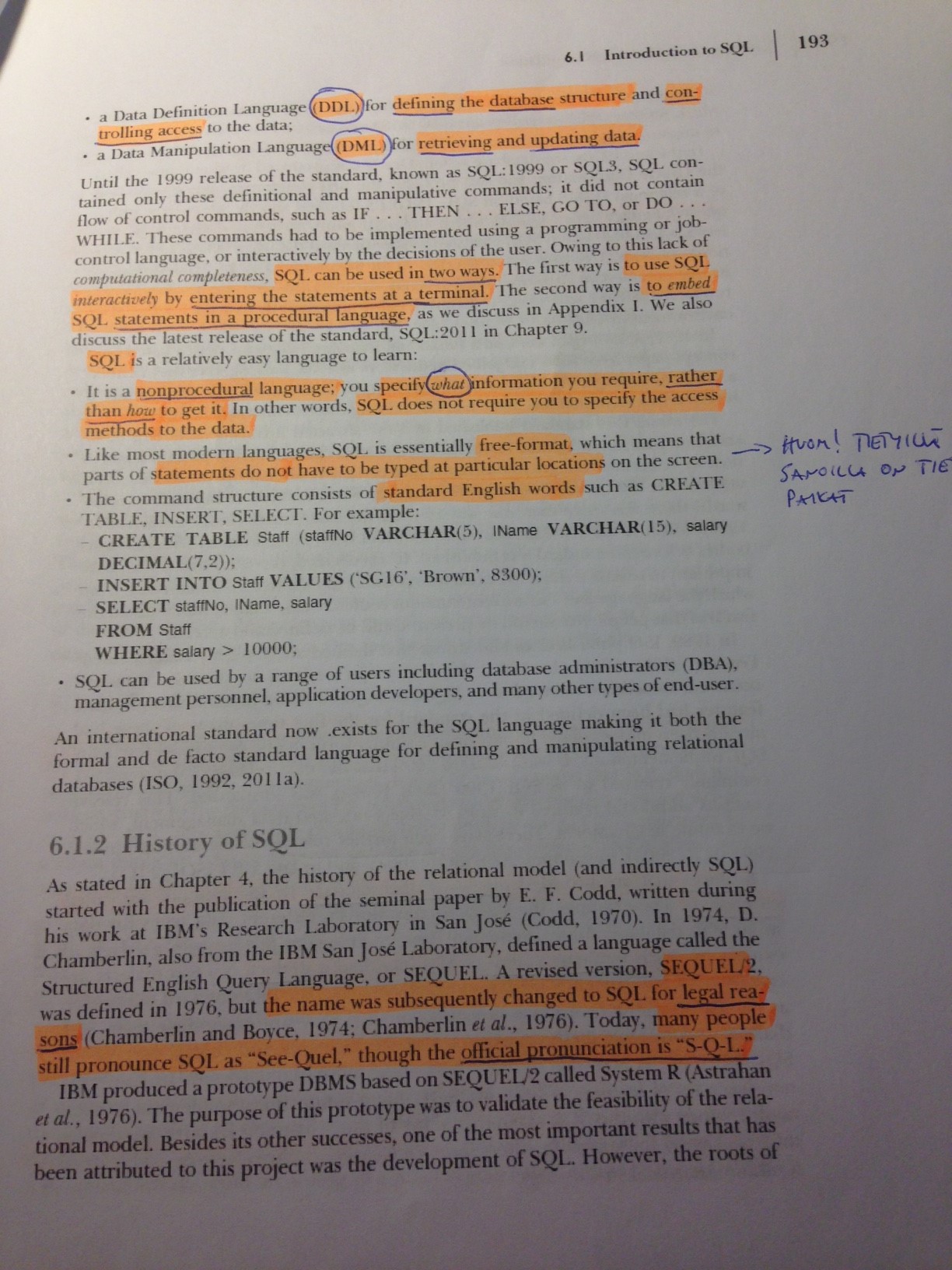
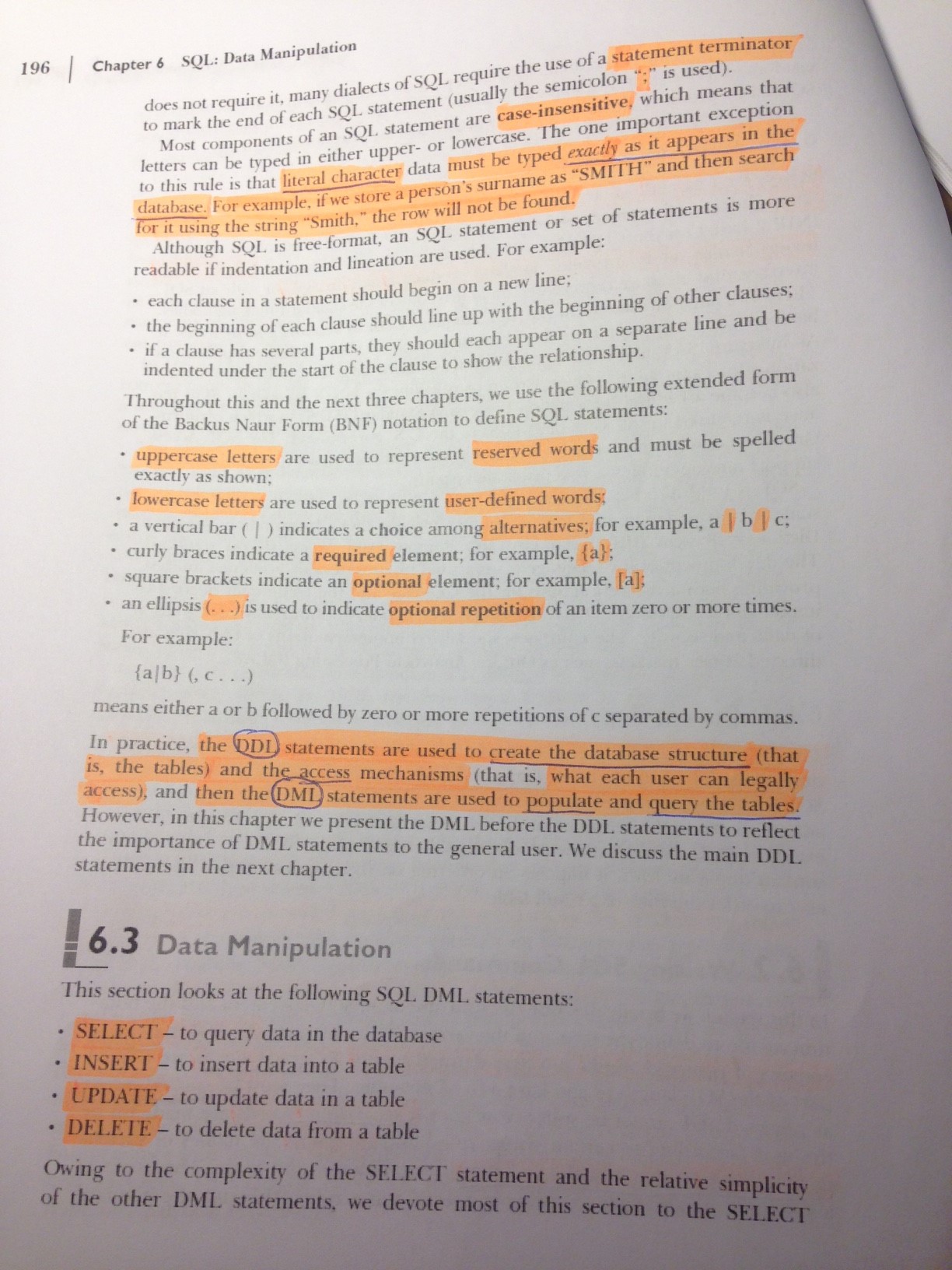
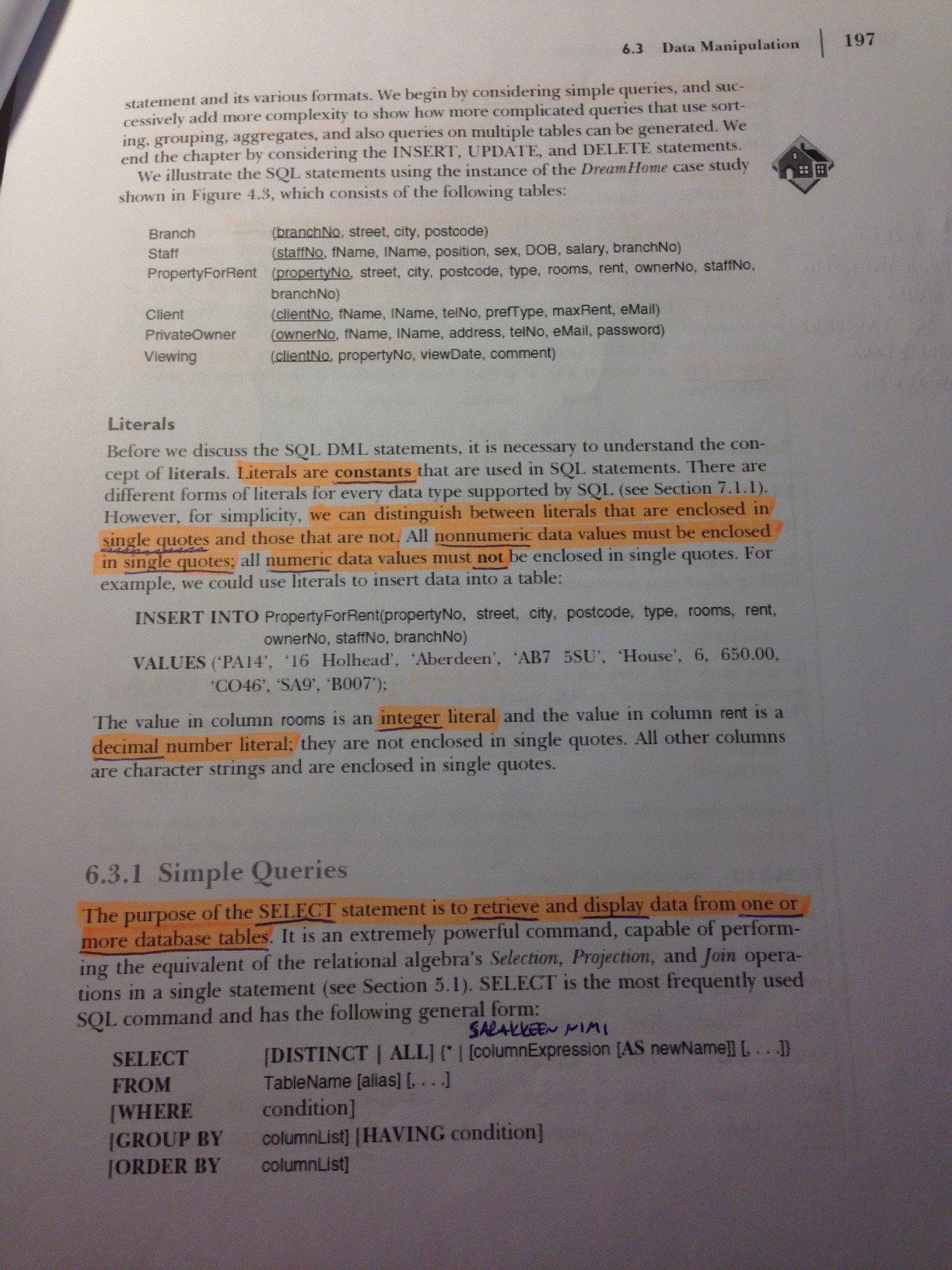
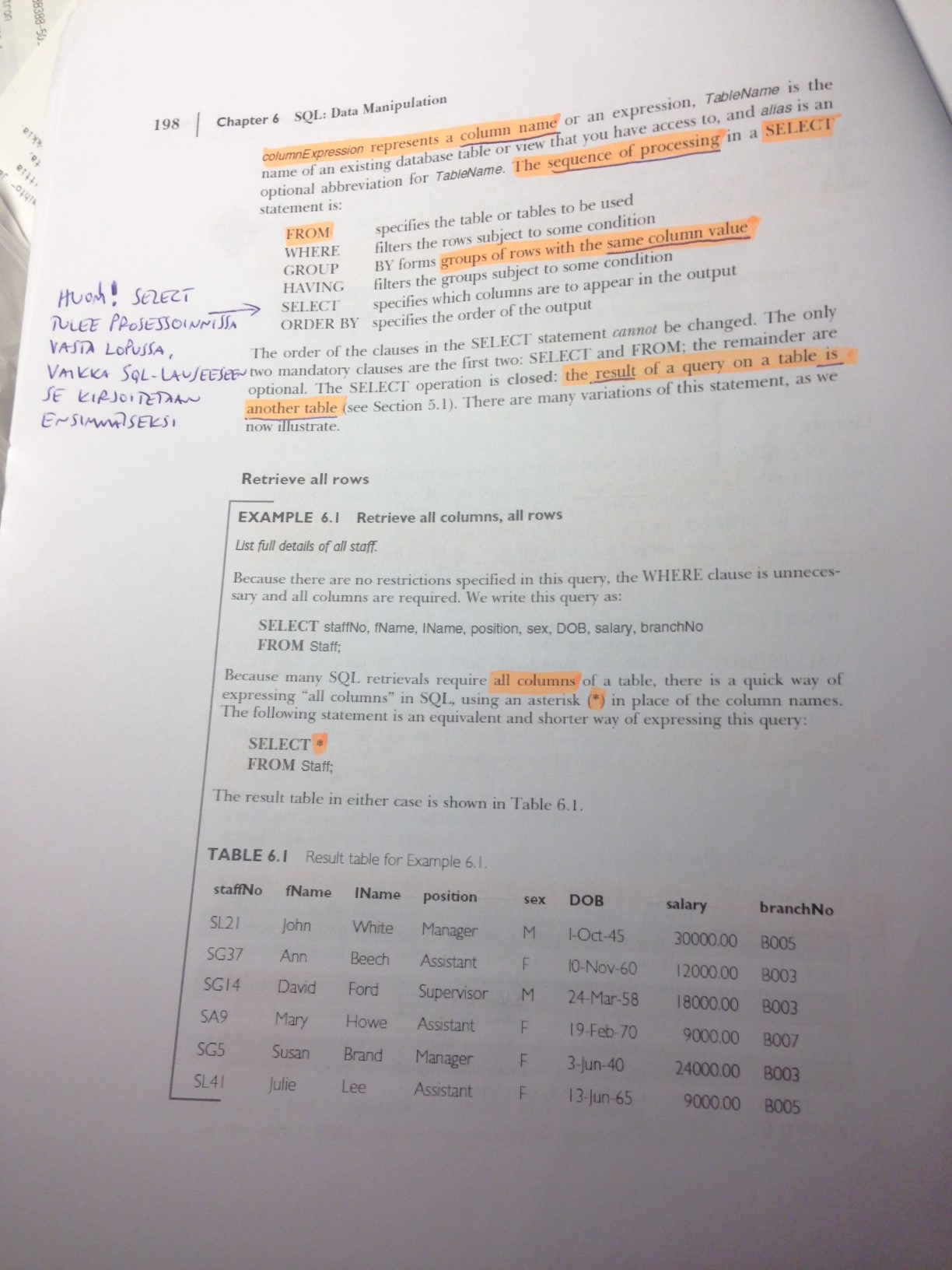
Kuinka monta kappaletta tiettyä tuotetta on:
select QUANTITYPERUNIT, count(QUANTITYPERUNIT) from products group by QUANTITYPERUNIT
Niiden tuotteiden lukumäärä, joiden joku sarakearvo on NULL:
select distinct count(companyname) from suppliers where region is null
where unitprice < ANY (select unitprice from products WHERE quantityperunit like '%bott%')
> MAX: korkeampi kuin minkään
> MIN: korkeampi kuin jonkin
< MIN: matalampi kuin minkään
< MAX: matalampi kuin jonkin
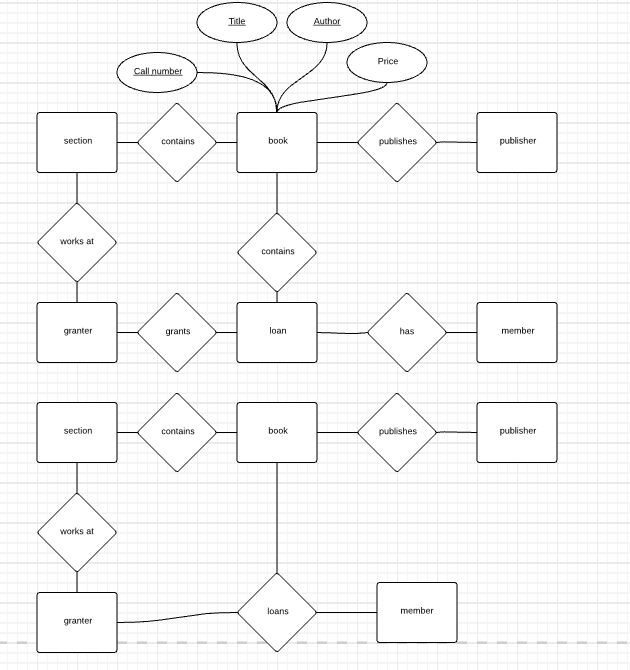
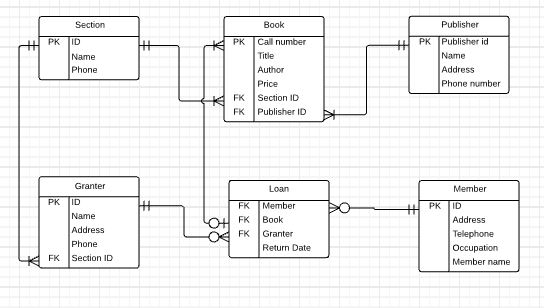
Harjoitus 1: Kirjasto
LIBRARY MANAGEMENT SYSTEM
A library consists of a section, a member, a book, a granter, a publisher.
Section has section id, name and phone number
Member has member id, address, telephone, occupation, member name.
Book has call number, title, author, price.
Publisher has publisher id, name, address, phone number.
Granter has national identify card number, name, address, phone.
Member name can be divided into first name, middle name, last name.
The section, member, book, granter, publisher are uniquely identified by section id, member id, call number, publisher id, national id card number respectively.
One section has many books but one book should keep in one section.
One member can borrow many books.
Many books may publish by one publisher otherwise one publisher may be published many books.
HARJOITUS2
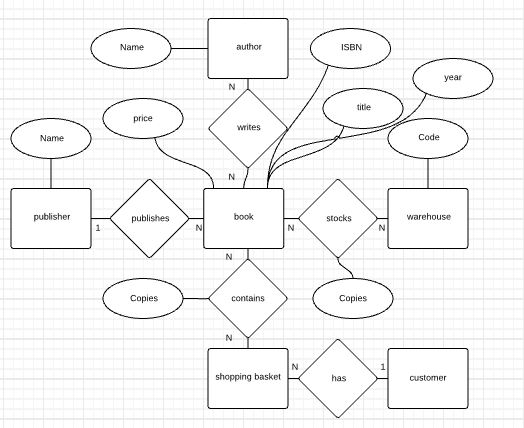
• Every book has a title, isbn, year and price. The store also keeps the author and publisher for any book.
• For authors, the database keeps the name, address and the url of their homepage.
For publishers, the database keeps the name, address, phone number and the url of their website.
• The store has several warehouses, each of which has a code, address and phone number.
• The warehouse stocks several books. A book may be stocked at multiple warehouses. (In previous sentence, we are not referring to a particular copy of the book. Consider for example “the complete book” for our course. This book may be stocked at multiple warehouses.)
• The database records the number of copies of a book stocked at various warehouses.
• The bookstore keeps the name, address, email-id, and phone number of its customers.
• A customer owns several shopping basket. A shopping basket is identified by a basketID and contains several books.• Some shopping baskets may contain more than one copy of same book. The database records the number of copies of each book in any shopping basket.
Design an ER diagram for such a bookstore. You are NOT required to identify keys or constraints for this problem.
For ER-modelling tasks: create a new Lucidchart document for each task, name it LastnameFirstname_taskX and share it with your teacher. So, for the first task create a document like VirtanenVille_task1 etc.
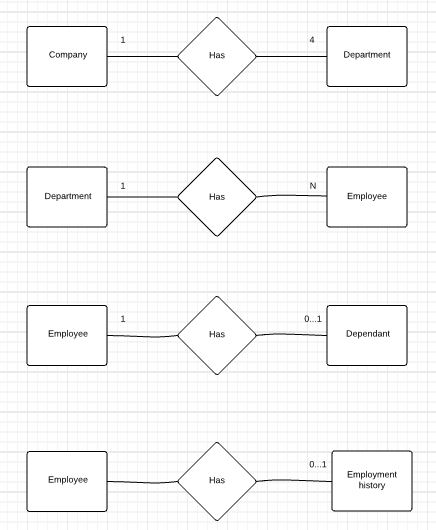
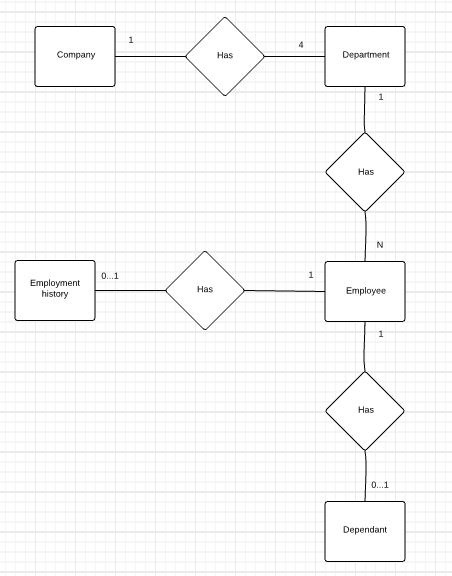
1. Given the following descriptions, create an appropriate ER diagram using Chen notation for each of the specified relationships.
Each company operates four departments, and each department belongs to one company.
Each department in part (a) employs one or more employees, and each employee is employed by one department.
Each of the employees in part (b) may or may not have one or more dependants, and each dependant belongs to one employee.
Each employee in part (c) may or may not have an employment history.
2. Represent all of the relationships described in Question 1 as a single ER diagram.
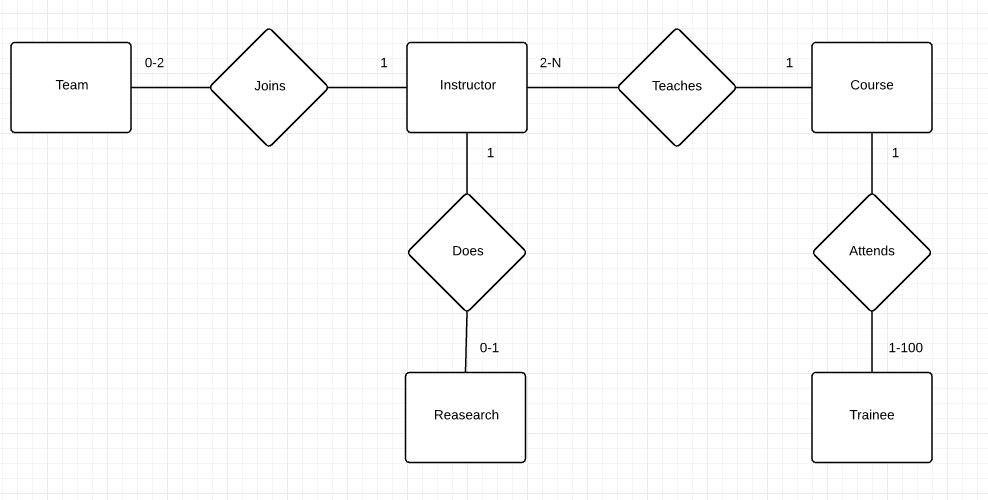
3. The IT Training Group (Glasgow) has contacted you to create a conceptual model by using the Entity–Relationship data model for a database that will meet the information needs for its training program. The Company Director gives you the following description of the training group’s operating environment:
The Company has twelve instructors and can handle up to one hundred trainees per training session. The Company offers five advanced technology courses, each of which is taught by a teaching team of two or more instructors. Each instructor is assigned to a maximum of two teaching teams or may be assigned to do research. Each trainee undertakes one advanced technology course per training session. Given this information, draw an ER diagram using Chen notation for IT Training Group (Glasgow).
4. Suppose you are involved in developing a database system for the Sales Department of a company. The operation of the Department can be described as follows:
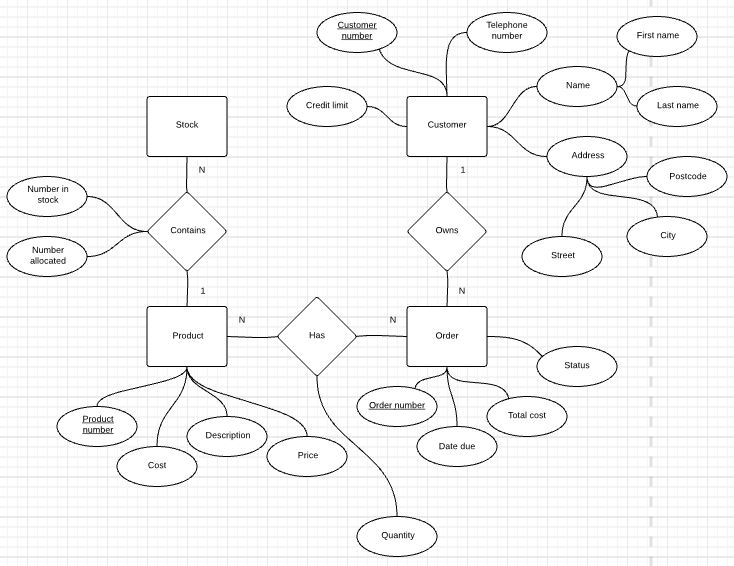
They have a file of products that they provide to their customers. Each type of product has a unique product number, as well as a description, a cost and a price. The number of the product in stock and the number allocated are updated regularly. When the number in stock decreases to the reorder level, the product is reordered in a pre-decided quantity.
They have a file of customers. Each customer is given a unique customer number. This file also contains customer names that consist of their first and last names, and customer addresses composed of street, city and postcode and the customer telephone number. Each customer has a credit limit, which is used to validate their orders.
A customer may place zero, one or more orders at a time, and an order is always placed by one customer alone. Each order is identified by a unique order number. Other information as to orders includes the date due, the total price, and the status, that is, an order may be outstanding, partially delivered, or fully delivered and invoiced.
An order may involve one or more than one type of products, and a type of products may be involved in more than one order. For each product being ordered in an order, its quantity, total price, and status (i.e., outstanding, partially delivered, or fully delivered) are recorded and updated regularly.
Given this information, draw an ER diagram using Chen notation for this Sales Department.
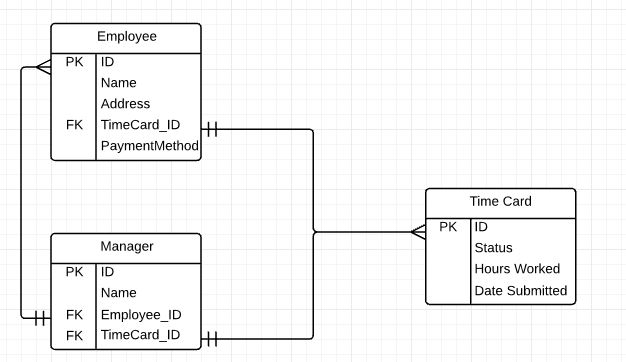
5. The company you work for wants to digitize their time cards, and asks you to design the database for time tracking. Draw the logical ER diagram using Crow's foot notation with the following information:
A timecard should have hours worked and date submitted
Each timecard is associated with exactly one employee
Each timecard should have a unique id
Each timecard has a status: it is either approved, not approved, or pending
Each employee has a unique id
Each employee has a name and address.
Each employee submits a time card every pay period. i.e. In 1 year, they will submit multiple time cards
Each employee either has direct deposit or physical check as their method of payment
Each employee is associated with exactly one manager
Each manager has a unique id and a name
Each manager is in charge of multiple employees
Each manager approves time cards for multiple employees
Managers are also responsible for submitting time cards.
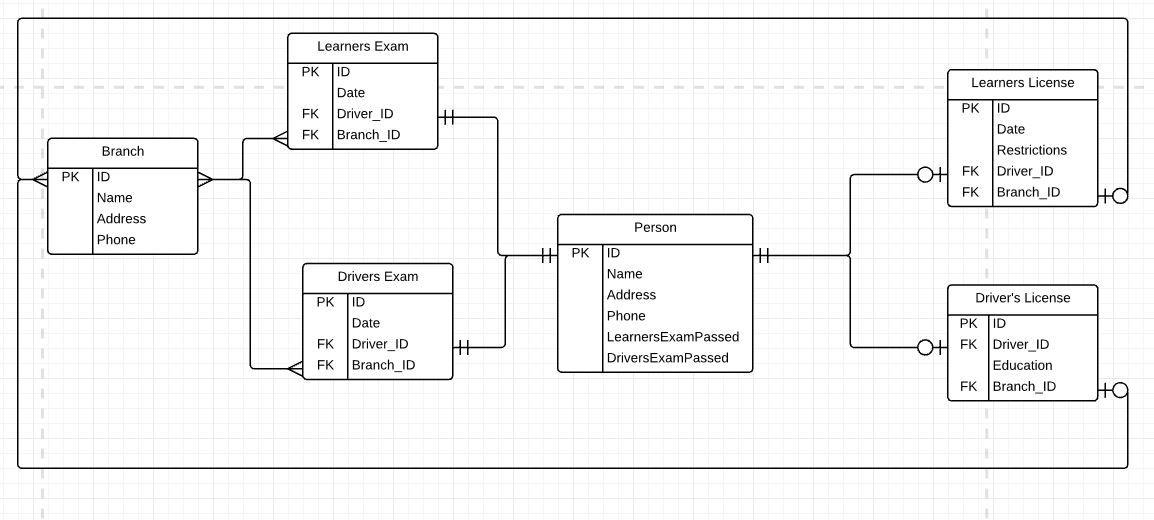
6. The motor vehicle office administers driving tests and issues driver’s licenses. Any person who wants a driver’s license must first take a learners exam at any motor vehicle branch in the province. If he/she fails the exam, he can take the exam again any time after a week of the failed exam date, at any branch. If he passes the exam, he will be issued a license(learners type) with a unique license number. A learners license may contain other restrictions on it. The person may take his driver’s exam at any branch any time before the learners license expiry date (which is usually set at six months after the license issue date). If he passes the exam, the branch issues him a permanent driver’s licence. A driver’s license must also record if the driver has completed driver’s education for insurance purposes. Given this information, draw the logical ER diagram using Crow's foot notation.
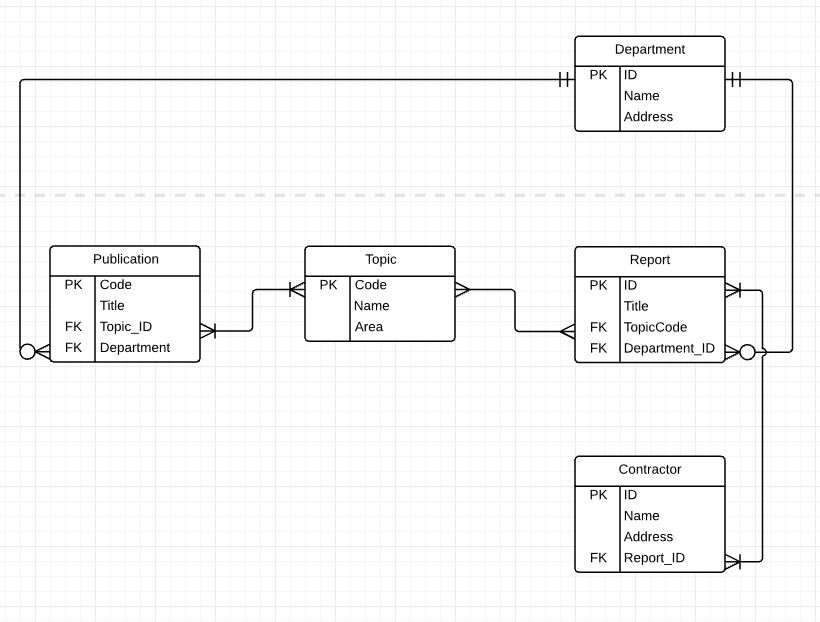
7. Draw the logical ER diagram using Crow's foot notation for a research report and publication tracking system.
Every topic should contain name, code and research area.
The topics can have several reports and the reports may contain several topics in them.
The report should have a title.
A department can publish more than one report. A report can be published only by a single department.
The department must have name and address.
Reports can be written by many contractors and contractors can write many reports.
Each contractor should have name and address.
A publication can include several topics and a topic can be present in more than one publications.
A publication must have its title and code.
One department can have many publications and a publication can be made only by one department.
Jos haluaa tehdä haun eli "selectin" Mongossa (=Find)
(simple)
author Adams*
- Valitse "Regex"
Advanced:
(query):
{
"author": "Adams, Douglas"
}
- Haku on myös JSON-dokumentti!
* = "WHERE-lause"
Projection (jos haluaa jotain muuta kuin kaikki arvot (sarakkeet) dokumentista:
{
title: 1,
author: 1,
section: 1
}
- Arvo pitää olla ykkönen (1) --> näin on vain määritelty
Kuinka monta kappaletta tiettyä tuotetta on:
select QUANTITYPERUNIT, count(QUANTITYPERUNIT) from products group by QUANTITYPERUNIT
Niiden tuotteiden lukumäärä, joiden joku sarakearvo on NULL:
select distinct count(companyname) from suppliers where region is null
-------------------------------------------------------------------------
Muista, että merkkijonossa pieni != iso kirjain
...WHERE firstname='Kalle' VS ...WHERE firstname='kalle'
UPDATEn ja DELETEn kohdalla, muista kirjoittaa "AINA" WHERE-lause!
Agg:
COUNT
SUM
AVG
MIN
MAX
Count, min, max käyvät MYÖS ei-numeerisiin kenttiin
Aggregaattifunktiota voi käyttää vain SELECT-lauseessa tai HAVING-lauseessa
* EI siis WHERE-lauseessa!!
Montako tölkkipakkausta varastossa on?
--> SUM
Varaston arvo:
SUM(unitprice*unitsinstock)
count(postalcode)
count(distinct postalcode)
MUISTA tarkastaa, tarvitaanko DISTINCTiä!!
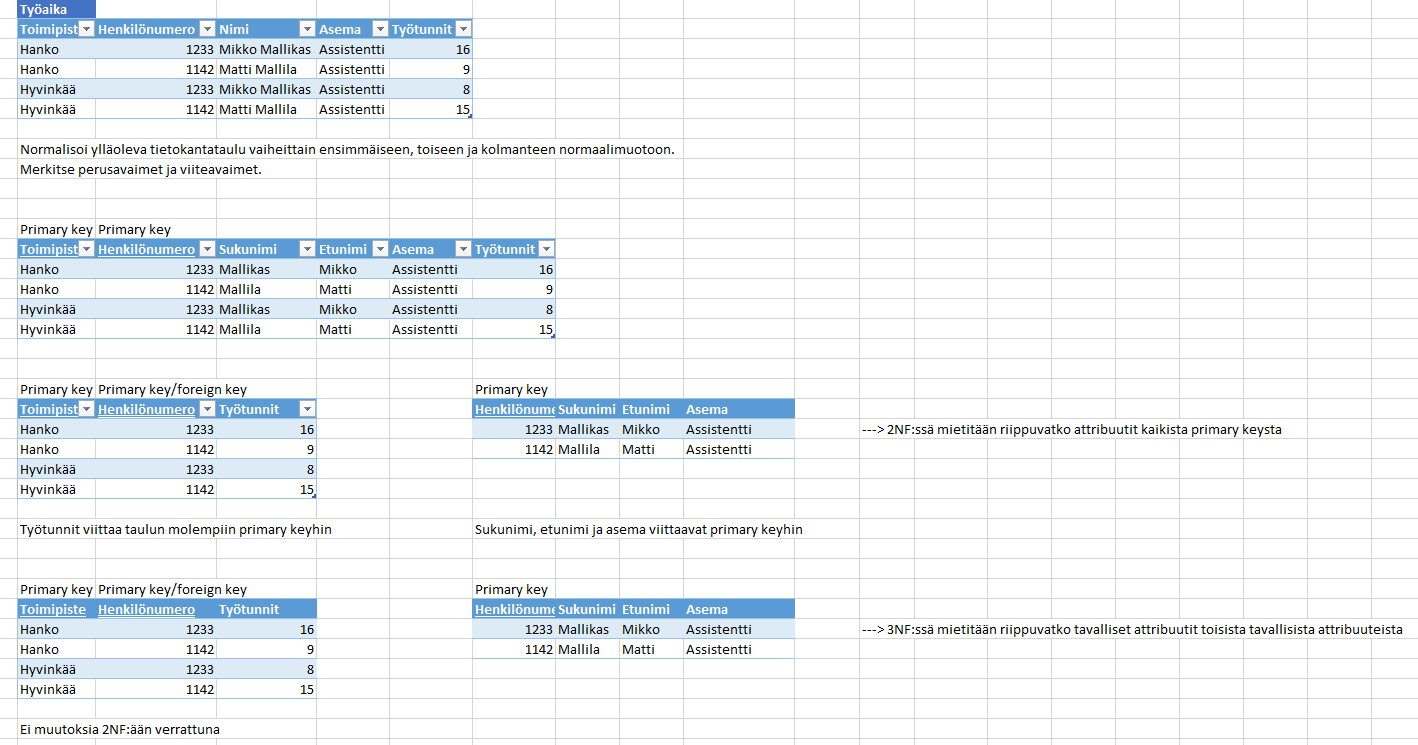
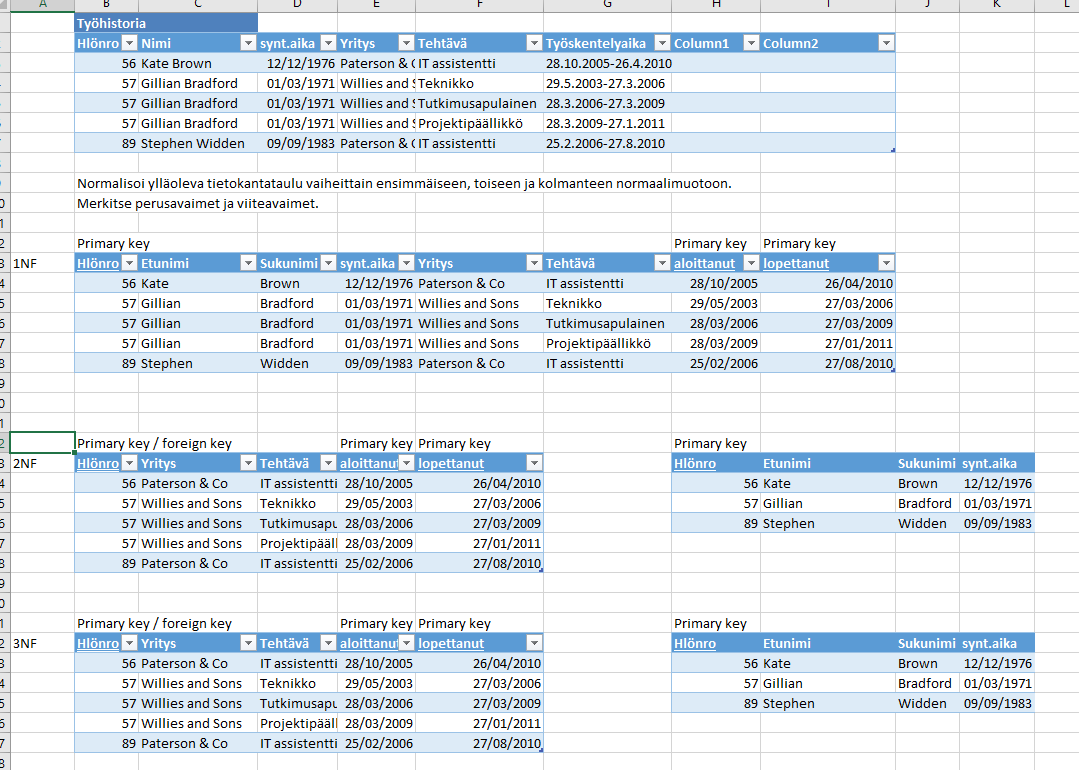
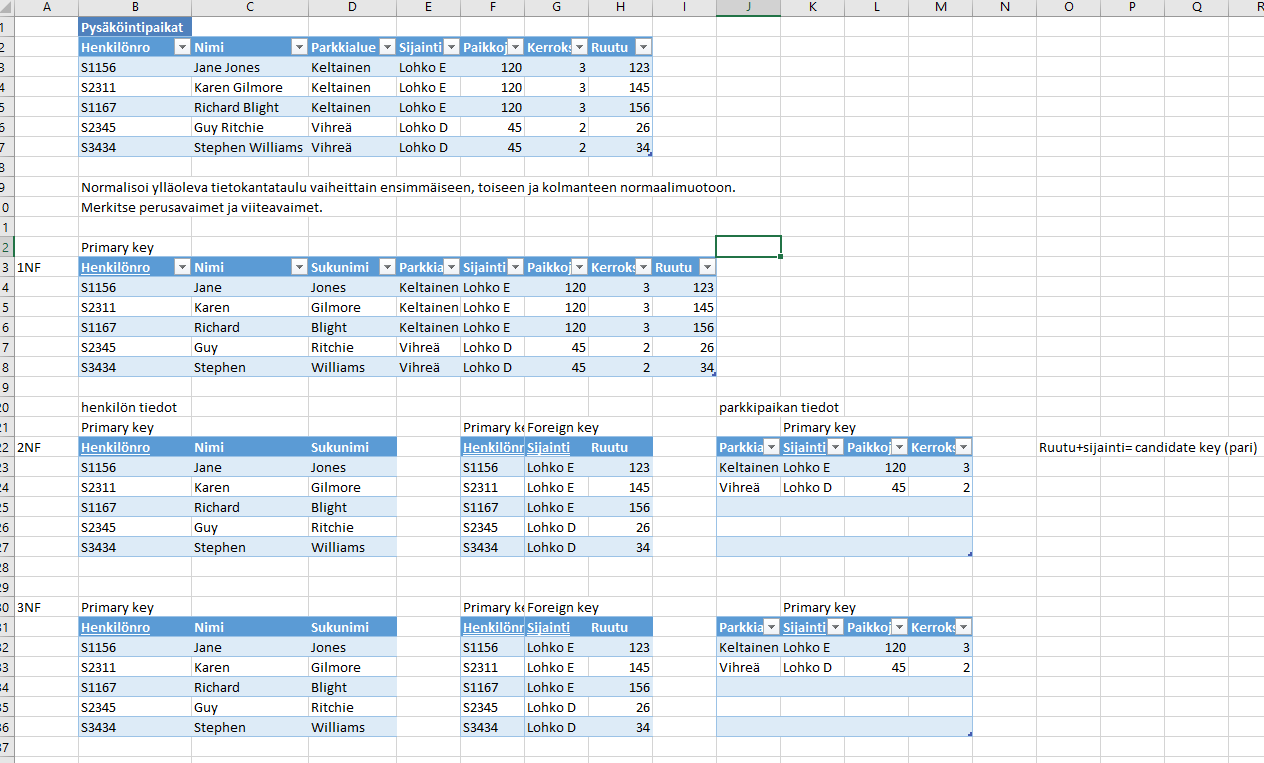
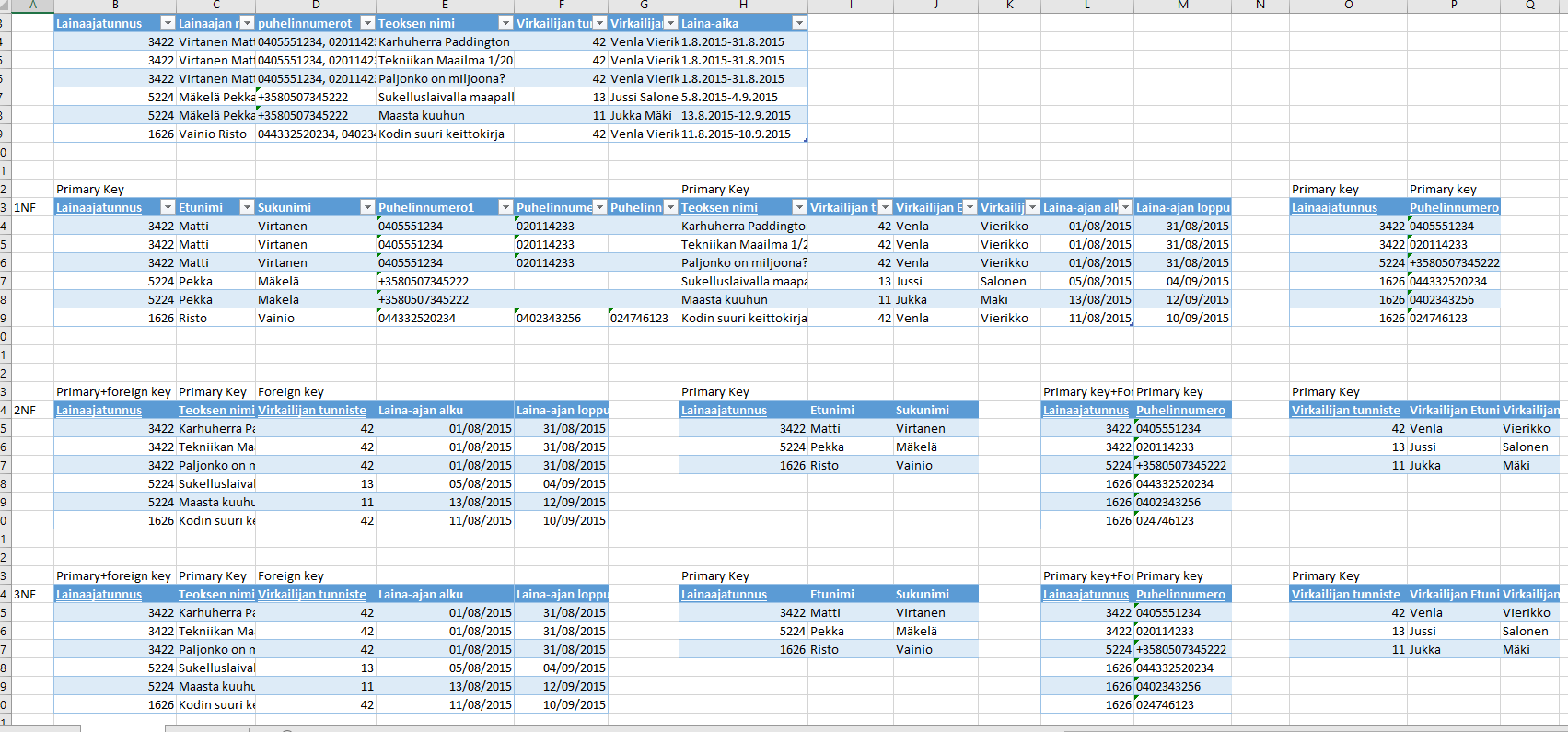
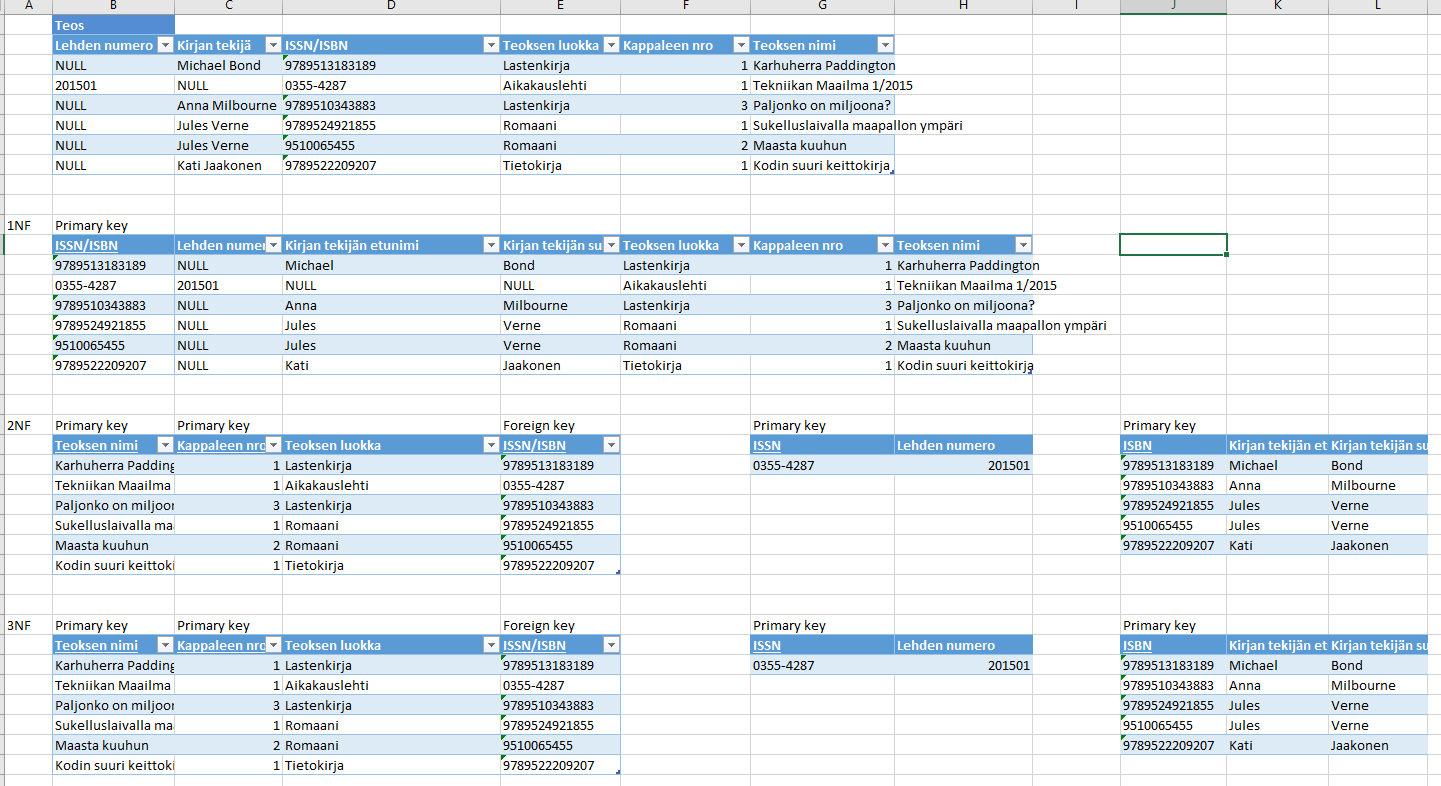
1NF: sisältää vain atomisia arvoja ja yhdessä solussa saa olla vain yksi asia/arvo
* Etunimi ja sukunimi pitää jakaa omiksi sarakkeikseen
- tosin jossain tietokannoissa saattaa olla täysin ok, että ihmisen koko nimi on yhdessä sarakkeessa (jos ei ole mitään hyötyä jakaa sitä --> jos kukaan ei koskaan esim. hae pelkän sukunimen perusteella)
* Jos koostuu listasta asioita (kuten useampi puhelinnumero), täytyy näille tehdä uusi taulu (jossa esim. sarakkeet "henkilötunnus" sekä "puhelinnumero" --> molemmat ovat tällöin myös Primary keyta
* Ensimmäisessä normaalimuodossa voidaan asiaa miettiä siltä kannalta, kuinka helppoa on kaivaa tauluista dataa: jos paljon dataa, täytyy tehdä monimutkaisia hakuja, kuten '%merkkijono%'
2NF: jokainen attribuutti joka ei ole PK tai (joka voisi olla PK (candidate key=ehdokasavain)) pitää riippua kaikista PK:ista tai ehdokkaista
--> jos taulussa on asioita, jotka eivät liity suoranaisesti toisiinsa, ne siirretään omiin tauluihinsa
* kun pilkkoo taulut käyttötarkoituksen mukaan, kannattaa asioita ajatella entiteetteinä (ER-mallin mukaan): esim. Henkilöllä on Parkkipaikka Parkkitalossa
3NF: (tavallinen) attribuutti ei saa viitata toiseen (tavalliseen) attribuuttiin
* attribuutit ovat siis niitä sarakkeita, jotka eivät ole PK:ita tai PK-ehdokkaita
--> tarkastetaan siis riippuvatko (tavalliset) attribuutit toisistaan (primary keystä ei tarvitse välittää)
-------------------------------------------------------------------------------
ACID
atominen (atomic): kun tekee kyselyn, tietokannassa ei tapahdu mitään muuta samalla hetkellä (kukaan ei pääse väliin / keskeytä)
konsistentti (consistent): sama kysely tuottaa aina saman vastauksen
isolation: operaatiot eivät vaikuta toisiinsa
durability: kun tekee muutoksen, se jää voimaan
--> NOSQL:ssä nämä eivät päde!
Relaatiokannassa (SQL) kaikki tähtää siihen, että kysely antaa kaikille käyttäjille aina saman vastauksen --> hitaita verrattuna NoSQL:ään, joka antaa nopeasti vastauksen, mutta vastaus saattaa olla eri käyttäjille (lyhyellä tähtäimellä) eri
* Relaatiokannoissa kaikkien palvelinten pitää olla synkroonissa keskenään --> paljon liikennettä ja hidasta
* Ei-relaatiokannoissa nodien ei tarvitse olla koko ajan synkassa, joten vastaus saattaa erota eri kysyjän mukaan
NoSQL-->ei haluta käyttää ER-mallia
import java.io.*;
import java.util.Scanner;
private static final Scanner luetaan_luku = new Scanner(System.in);
-------------------------------------------------------------------------------------------
int[] taulu = new int[3];
for (int i=0; i<=talteen.length; i++) {
talteen[i]=luetaan_luku.nextInt();
} //for
Aliohjelma:
a) public static int kerto(int a, int b) { ... }
b) public static void lisaayks() { ... }
-------------------------------------------------------------------------------------------
try { ... }
catch (ArrayIndexOutOfBoundsException aio) { ... } // taulukon indeksin ohi
catch (ArithmeticException ae) { ... } // nollalla jakaminen
catch (Exception e) { ... } // syötetty näppäimistöltä väärä tietotyyppi (esim. int vs. String)
try {
while (talteen != 0) {
talteen = luetaan_luku.nextInt();
summa = summa+talteen;
}
}
catch (Exception e) { System.out.println("Hei, piti olla kokonaislukuja!"); }
finally {System.out.println("Loppu");}
-------------------------------------------------------------------------------------------
SYÖTETÄÄN LUKUJA, KUNNES ANNETAAN NOLLA:
int talteen = -1;
System.out.println("Syötäs kokonaislukuja!, homma loppuu kun syötät nollan");
int summa = 0;
while (talteen != 0) {
talteen = luetaan_luku.nextInt();
summa = summa+talteen;
}
-------------------------------------------------------------------------------------------
x = (int)Math.pow(a, b);
x = (int)Math.PI;
-------------------------------------------------------------------------------------------
System.out.println("Syötä ikäsi: ");
ika = lukija.nextInt();
lukija.nextLine(); // Tämä pitää lisätä, tai muuten ohjelma ei anna enää syöttää nimeä.
System.out.println("Ikäsi on "+ika);
System.out.println("Syötä nimesi: ");
nimi = lukija.nextLine();
-------------------------------------------------------------------------------------------
float f = 10.0f; --> f
long l = 300L; --> L
-------------------------------------------------------------------------------------------
TARKASTAA, SYÖTTIKÖ KÄYTTÄJÄ OIKEAA TYYPPIÄ OLEVAN LUVUN:
int luku;
if (lukija.hasNextInt()) {
luku = lukija.nextInt();
System.out.println("Kiitos, tämä on kokonaisluku!");
System.out.println("Annoit siis luvun "+luku);
}
else
{
System.out.println("Hei, tää ei oo kokonaisluku!!");
}
-------------------------------------------------------------------------------------------
int z = x>y ? x-y : x+y;
-------------------------------------------------------------------------------------------
String sana1 = "Kalle";
String sana2 = "Pekka";
if (sana1.equals(sana2)) {System.out.println("Samat on!"); }
else {System.out.println("Erit"); }
-------------------------------------------------------------------------------------------
Character.isLetter(char c);
Character.isDigit(char c);
Character.isSpaceChar(char c);
Character.isUpperCase(char c);
-------------------------------------------------------------------------------------------
public static void main(String[] args) throws FileNotFoundException {
-------------------------------------------------------------------------------------------
TIEDOSTOON KIRJOITTAMINEN:
PrintWriter kirjoittaja = new PrintWriter("harjoittelu.txt");
kirjoittaja.println(tekstia);
kirjoittaja.println("Moikka");
kirjoittaja.close();
TIEDOSTOSTA LUKEMINEN:
final Scanner lukija = new Scanner(new File("harjoittelu.txt"));
lukija.close();
* throws FileNotFoundException
* import java.io.*;
import java.io.*;
import java.util.Scanner;
public class Tiedostoja2 {
public static void main(String[] args) throws FileNotFoundException {
final Scanner lukija = new Scanner(new File("harjoittelu.txt"));
while (lukija.hasNextLine()) {
System.out.println(lukija.nextLine());
}
lukija.close();
}
}
  public static int suurin(int[] taulu) {
    int luku = 0, suurin = Integer.MIN_VALUE;
    for (int i = 0; isuurin) {
          suurin = luku;
          } // if
    } //for
    return suurin;
  } //suurin